If you select a track/album/folder for instant playback (without using the playlist), the playlist is
preserved. The playlist is also preserved during standby.
Repeat & Shuffle
You can repeat tracks or play them in random order by pressing
and holding the Menu knob > Repeat play or > Shuffle play.
Now playing information
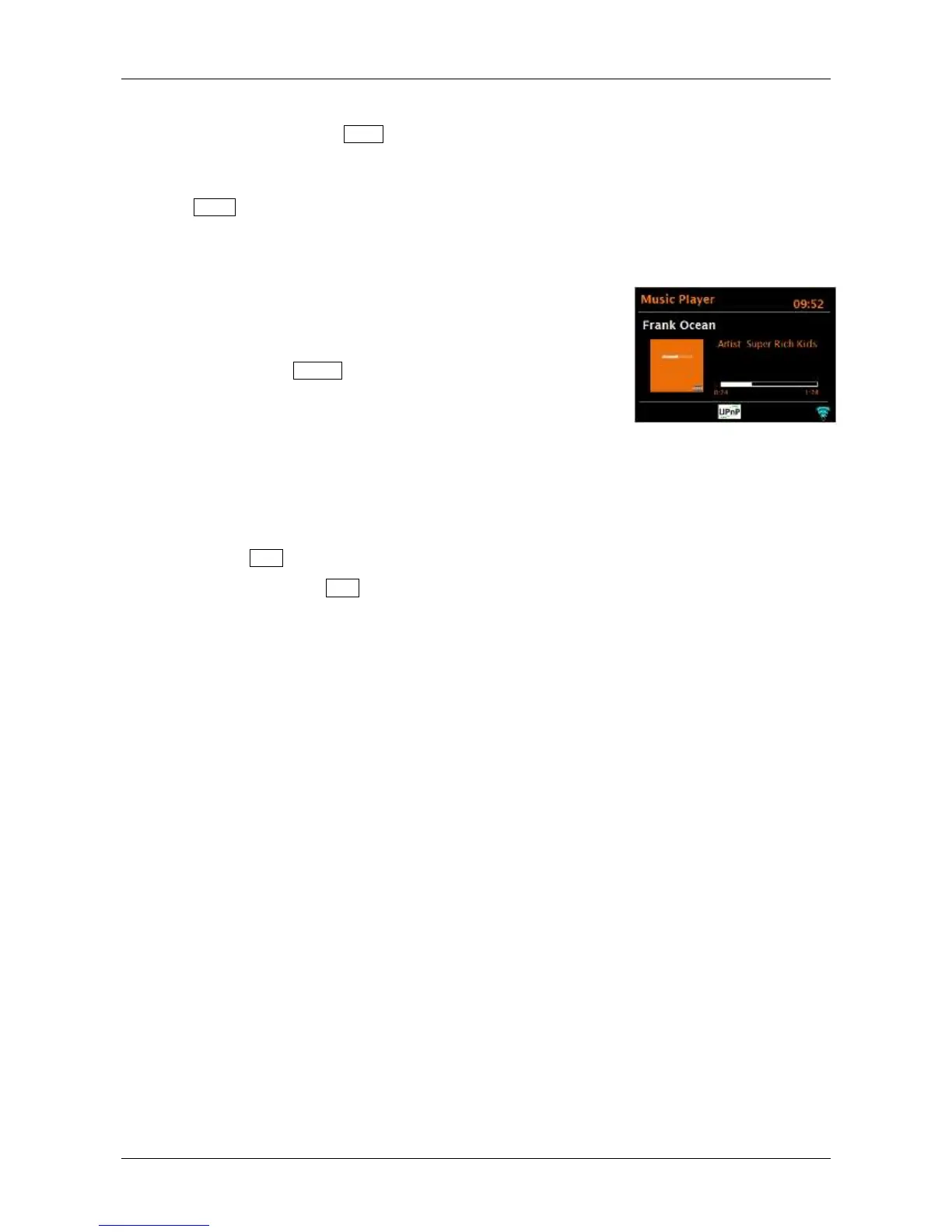
While a track is playing, the screen shows its track and artist (UPnP) or file name (USB). There is
also a progress bar with figures for elapsed and total track time. At the bottom of the screen, an
icon indicates UPnP or USB depending on the source. To view further information, press the
remote’s Info key.
Each time you press Info , another set of information is displayed, cycling through:
UPnP: playback progress bar (default), artist, album, codec/sampling rate, playback buffer bar,
today’s date
USB: playback progress bar (default), artist, album, folder, full file path, bit rate/codec
type/sampling rate, playback buffer bar, today’s date
Setting up a music server
In order for Solo and Duetto to play music files from a computer, the computer must be set up to
share files or media.
UPnP media sharing allows devices like Solo and Duetto to play music from a shared media
library, navigating through tag menus such as Artist, Album, or Genre. If you are running a suitable
server system such as a PC with Windows Media Player (WMP) 10 or later, and your music library
is well-tagged, then it is recommended to use media sharing. Only the UPnP server needs to be
set up. See the next Section.
Note: iTunes does not currently work as a UPnP media server, but there are add-on Apps available to
work with an iTunes library.
Sharing media with Windows Media Player
The most common UPnP server is Windows Media Player (10 or later). Alternatively, other UPnP
platforms and servers may be used. To set up WMP for media sharing, perform the following steps:
1. Ensure the PC is connected to the network.
2. Ensure Solo or Duetto is powered on and connected to the same network.
3. In WMP, add to the media library the audio files and folders you want to share with


 To Next Page