Installation
A190-930TX_EN_03_ 2009-02-06 29
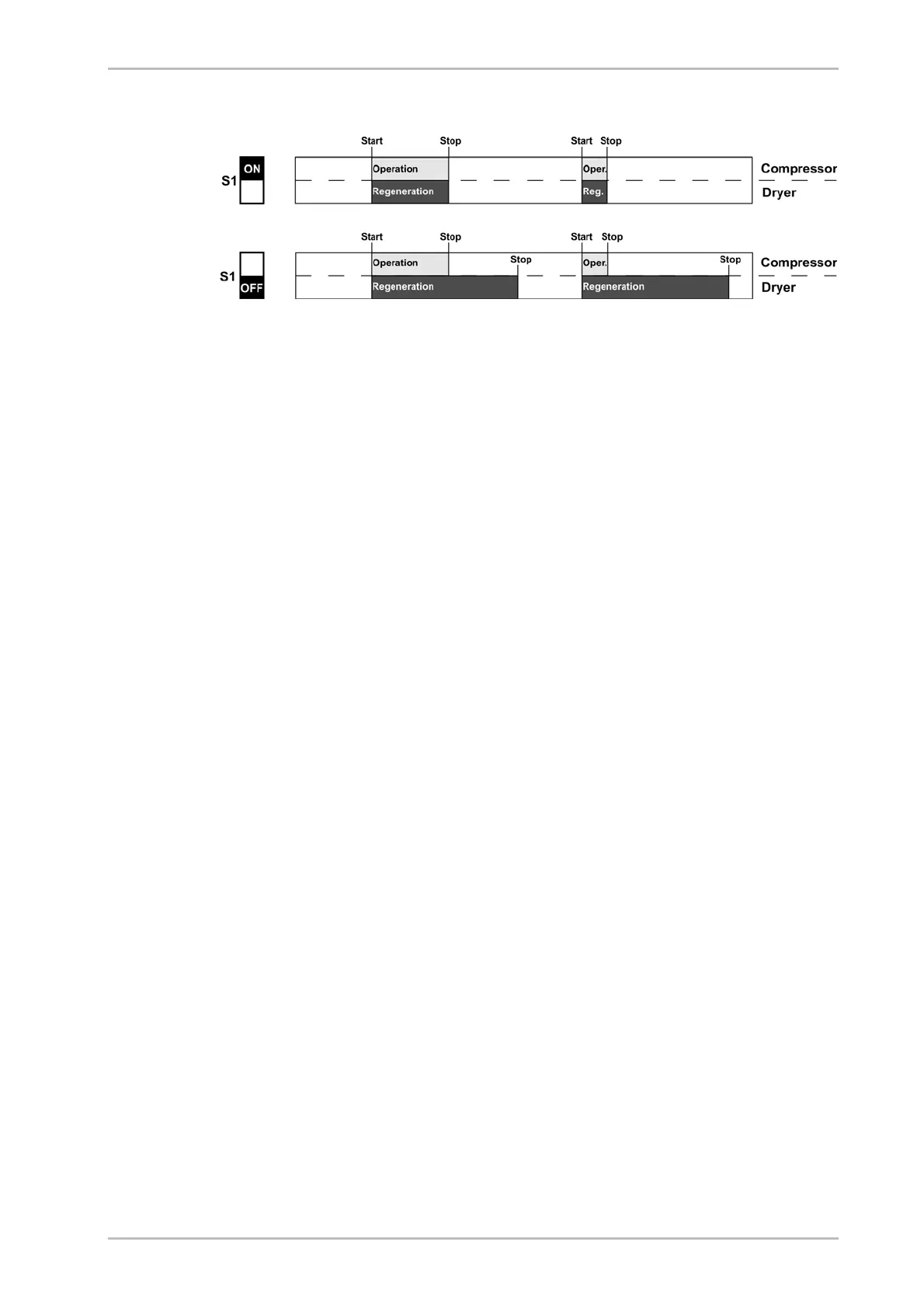
If switch S1 is in the OFF position, any regeneration process which has been
started, is always continued until completed.
To install the external line, proceed as follows:
► Connect the signalling line to the potential-free busbar connection of the
compressor to terminals 1 and 2 on the control board (see circuit diagram).
For operation monitoring system (optional)
Operators have the option to connect the dryer to a fault signalling system,
connecting the respective line to a potential-free operation signalling contact.
With this option, the following statuses and events can for example be
transmitted to a remote control room:
Dryer on (contact made)
Power supply disconnected (no contact)
Dewpoint alarm (only with dewpoint-sensing control option, no contact)
To install the external lines, proceed as follows:
► Connect the lines of the fault signalling system to relay K5 (see circuit
diagram).
Check bolt connections
Before the initial start-up:
► Check all unions and bolt connections as well as the terminals in the control
cabinet for secure seating; re-tighten if necessary.



 To Next Page