15
K09657H02 | PROC-CAL/002/03 USER MANUAL | V. 11/07/2023
. OPERATION
Once the grind cycle is initiated, it can be paused
by pressing the lower activation button ( ).
The cycle will pause, and will complete the
timed grind cycle if the lower activation
button is pressed again within 10 seconds.
After 10 seconds of inactivity, the grind cycle
will reset to the complete cycle time.
Grind pause can be activated or deactivated
by pressing the lower pulse button ( ). First,
set up by following these steps: MENU /
SETTINGS / GRIND PAUSE.
.. TOUCH MODE
In this mode of operation when making the
selection of single, double or triple doses of
coee by pressing the appropriate numeric
TFT icon screen ( ) starts grinding the
selected dose without the need to actuate
the lower dose button ( ).
The time set for that dose will decrease to
zero, at which point the dose ends.
Once the cycle starts grinding using the
lower dose button ( ) and is pressed again,
the grinding cycle will stop. If within 10
seconds it is pressed again, it will complete
the remaining time of the original dose time
setting. After 10 seconds of inactivity the
grinder will return to standby mode.
To pause by pressing the lower activation
button ( ), you can enable or disable,
accessing MENU / SETTINGS / GRIND
PAUSE .
Pause grinding may also be performed by
pressing the active icon on the TFT display
( ). This pause cannot be enabled or
disabled via the MENU.
.. DETECTION MODE
In this operating mode, the grinder detects
the presence of the portafilter through
the movement of a fitted Tag. When the
portafilter with the mounted Tag comes
within range, the system identifies it and
automatically grinds DOSE 2 by pressing
the lower portafilter button ( ) once.
Once Dose 2 is detected, you have 5 seconds
to press the lower button ( ). If you want to
cancel the selection, you can press 1 on the
TFT screen ( ). If after 5 seconds, the lower
button is not pressed ( ), the grinder will
return to the standby mode.
.. TAMPER
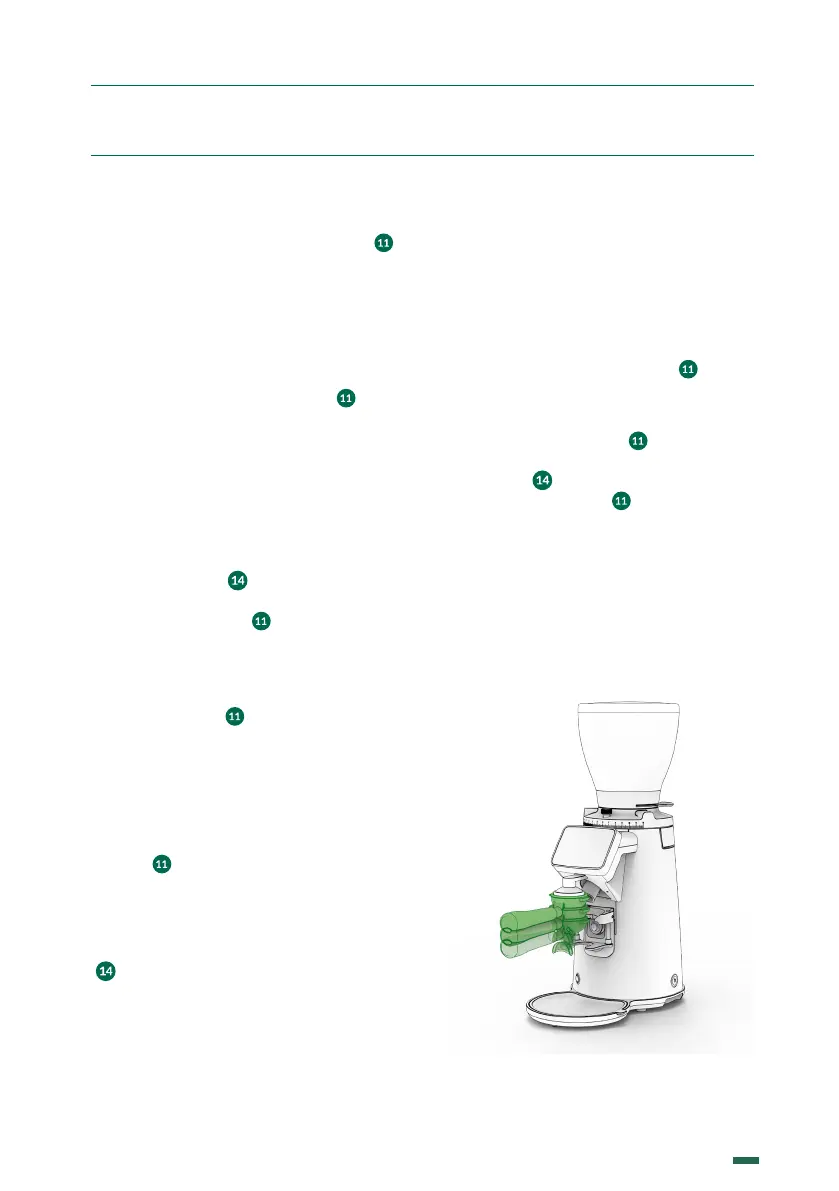
9.6.1. Fixed Tamper (Optional)
Position the portafilter below the tamper and
push up to tamp the ground coee (Fig. 4).
Fig. 4


 To Next Page