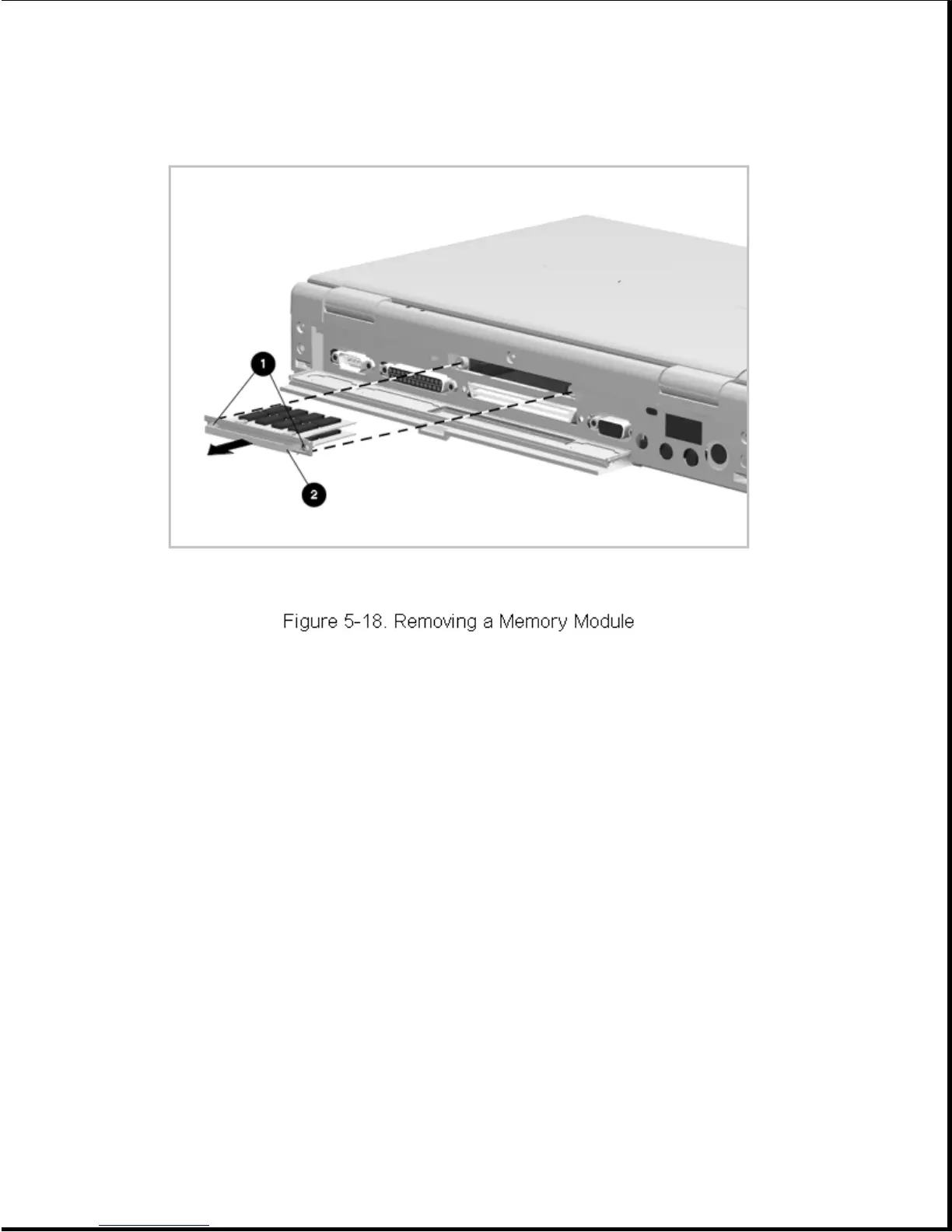
3. Pull on the handle [2] to remove the memory expansion board from the
computer (Figure 5-18).
Reverse the above procedure to install a memory expansion board.
IMPORTANT: Run Computer Setup after installing a memory expansion board.
5.4.6 EasyPoint II Pointing Device
The EasyPoint II pointing device consists of a rubber cap [1]. If the
rubber cap needs to be replaced, grasp the rubber cap with your thumb and
index finger and lift it out. Install a new cap by pushing it on
(Figure 5-19).



 To Next Page