>>>>>>>>>>>>>>>>>>>>>>>>>>>>>>>>>>>>><<<<<<<<<<<<<<<<<<<<<<<<<<<<<<<<<<<<<<
To remove the display bezel, complete the following steps:
1. Remove the display assembly as described in Section 5.8.1.
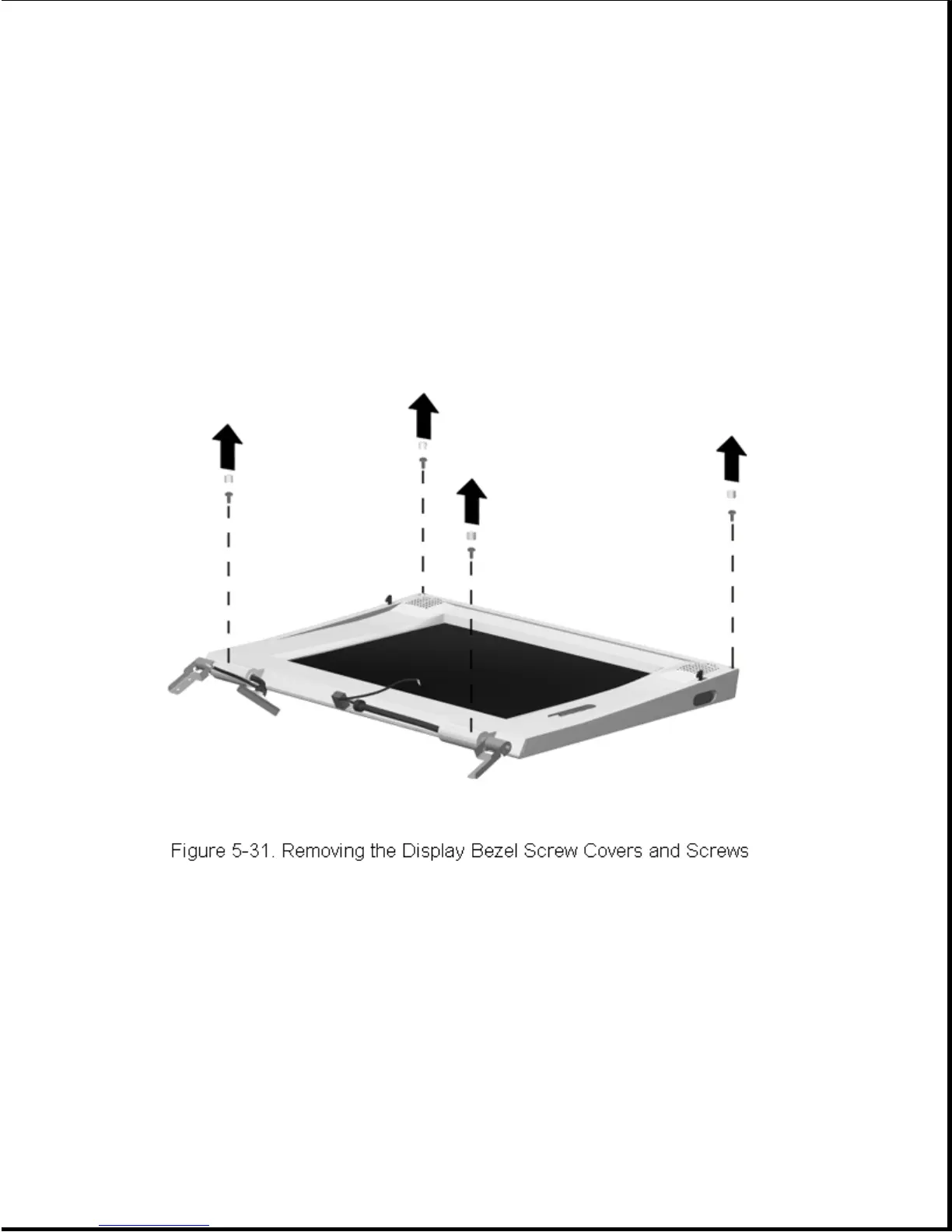
2. Remove the screw covers and screws (Figure 5-31).
NOTE: The upper and lower screw covers are not the same.
3. Using a case tool, begin at the top and pry the display bezel loose
(Figure 5-32). Continue separating the bezel from the case along the
two sides and then slide the bezel off the bottom of the display
assembly. Locations of the bezel clips are indicated by arrows in
Figure 5-32. Note that the speakers are permanently attached to the
bezel and come off with it.









 To Next Page