7
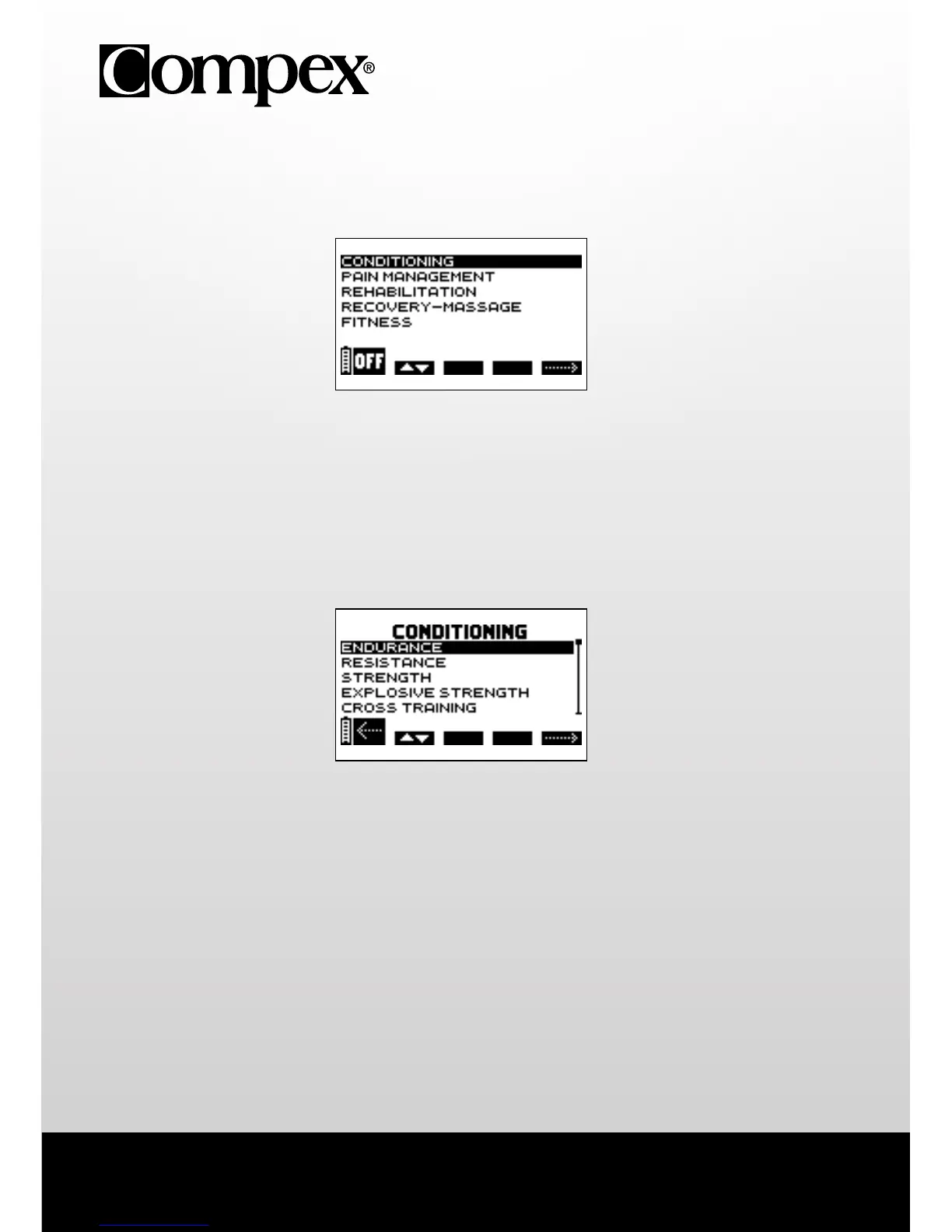
4. CHOOSING A CATEGORY
N.B. The following screens are generic examples but they work in the same way regardless of the device that
you have.
A Press the on/off button to switch the device off.
B Press the +/- button of channel 1 to select a category.
E Press the +/- button of channel 4 to confirm your selection.
5. SELECTING A PROGRAMME
A Press the on/off button to return to the previous screen.
B Press the +/- button of channel 1 to select a programme.
E Press the +/- button of channel 4 to confirm the selection and start the stimulation session.
N.B. After selecting a programme an additional screen may appear requesting the programme cycle to
be selected. In either case, select the 1st cycle and then press the +/- button of channel 4 to confirm the
selection and start the stimulation session.
A B E
A B E



 To Next Page