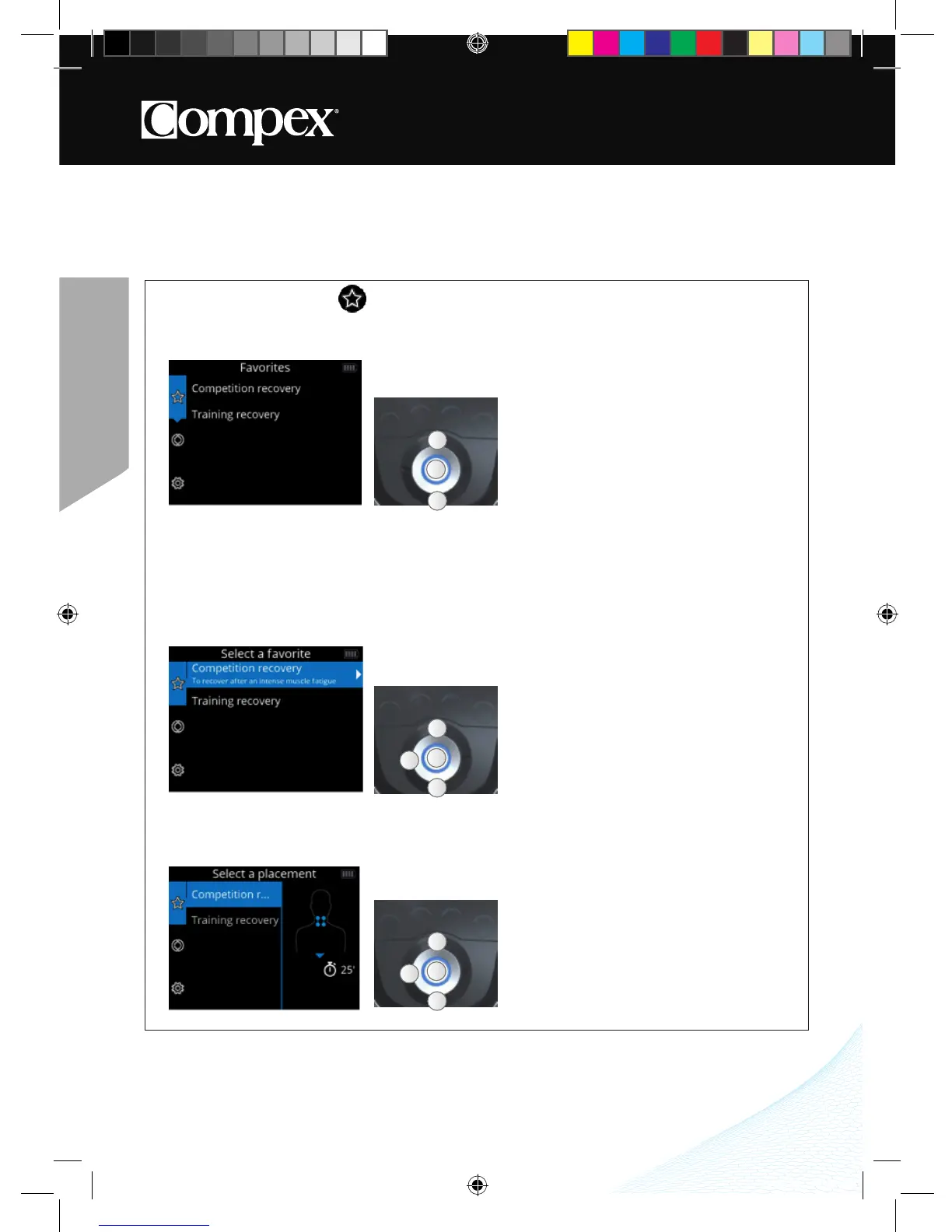
HOW TO ACCESS FAVORITES
The Favorites menu displays the last programs used� You need only to have one program in the Favorites
menu to become directly accessible after turning on the device�
The programs done will automatically be placed in the Favorites menu� The Favorites menu can contain
up to 9 programs� If new programs are done, the old ones will automatically be removed from the list of
favorites�
1. SELECT A FAVORITE
2. SELECT ELECTRODE PLACEMENT
A
B
A
A Select the desired electrode placement
B Confirm your selection
C Return to the previous step
A
B
A
C
DEVICE FUNCTION
The following screens are generic examples but they work in the same way regardless of the device that
you have�
A Select the Favorites menu
B Confirm your selection
A Select the desired favorite program
B Confirm your selection
C Return to the previous step
A
B
A
C



 To Next Page