Most likely, you did not push Button
II
for the required 2 seconds. Pushing Button
II
for
only a ½ second engages the optional auxiliary function instead of auto-start.
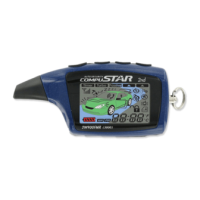
Another reason maybe that you are in Valet Mode. If there is a ZZZ icon on your remote-
pager unit, you are in this mode and all the functions of the CompuStar 2WSSR are disabled
except for keyless entry. Press Button
(I+III)
simultaneously for a ½ second to deactivate
Valet Mode.
If there is a problem in auto-starting your car, you will hear three chirps from your remote-
pager when you attempt to auto-start the vehicle. After waiting two seconds, the diagnosis
for the auto-start error will be indicated depending on the number of times the car chirps and
parking lights flash. For example, 4 car chirps and parking light flashes indicates that the car
did not auto-start because the trunk was open. Please see page 10 of the user’s manual for
the error diagnosis table.
On a small minority of cars, you maybe equipped with a Valet Switch that is located under
the car’s dashboard that disables the auto-start system manually when the switch is turned to
the on position. Turn the Valet Switch to the off position and your car will auto-start.
INSTALLATION
Please refer the wiring diagram.
1. Dip Switch and Jumper Settings
Dip
Switch
Jumper #1 #2
Off Cut:
Automatic
Transmission
Alternator
Sensing
15 min run time
(25 min diesel)
On Uncut:
Manual
Transmission
Tach
Sensing
25 min run time
(45 min diesel)
2. Transmitter/Receiver Learn Routine
Your remote-pager has been programmed for your
specific CompuStar brain at the time of installation.
© 2001 Firstech, Inc. Page 12




 To Next Page
