(MT series remote control intelligent turntable manual)3
4 Shenzhen Comxim Technologies Co., Ltd. Copyright 2015
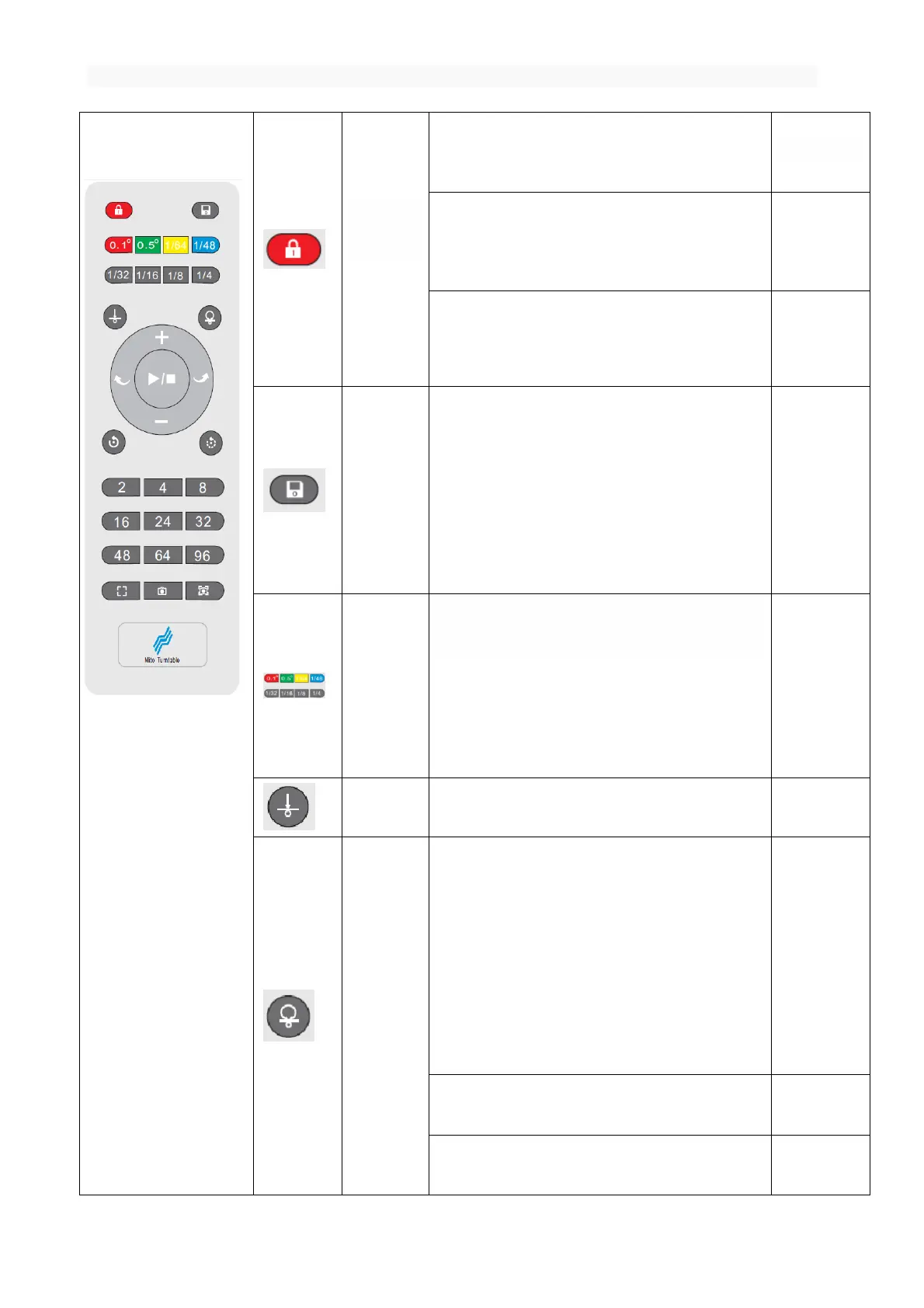
Function: reduce the interference between the
equipment when using multiple turntable.
If the remote control key is currently unlocked,
the remote control key lock(In addition to the key,
the other key is invalid)
If the current state is locked, the remote
control button to unlock.(Restore all key functions)
Function: Save current settings
The current configuration parameters
(including rotation angle, pause time, repeat
number, speed, rotation mode, rotation direction)
are stored in the internal storage. Once again, the
turntable rotates in accordance with the save
settings.
Rotation
angle
shortcut key
Function : Press the key in this group, rotate
the rotary angle.
Press 0.5,the turntable is around 0.5
degrees.
Press 1/32, the turntable is around 360*1/32
(11.25 degrees)
Function:Press this key, the turntable stops and
Remember the current position is the origin.
Function:Automatic return to the origin
of the setting.
If the turntable is not at the origin,
return to the origin of the setting,
For example: in the 360 degree camera
scene, through the "set origin " and "back to
the origin", do not need to manually adjust the
shooting objects in the turntable position.
If the turntable is currently doing the
back action, the key is ignored.
If the turntable at the origin, the key is
ignored.



 To Next Page