IP CAMERA QUICK START GUIDE
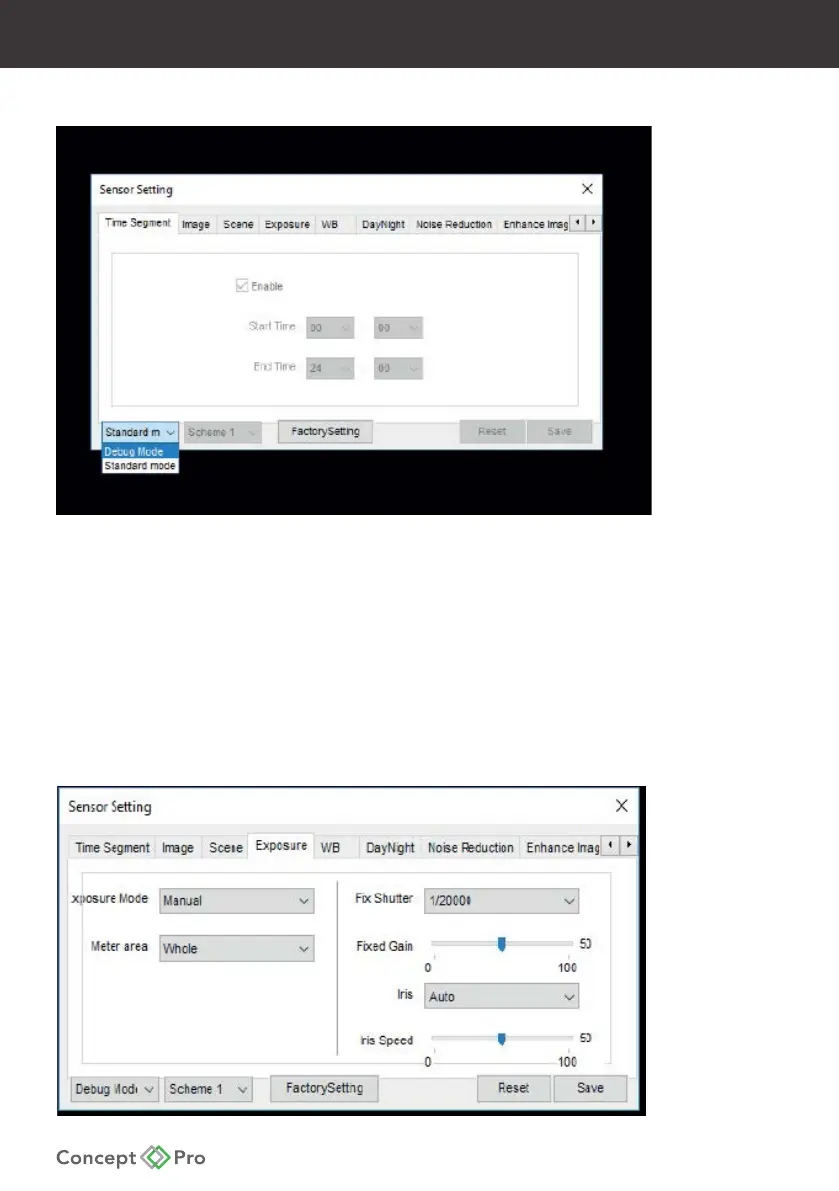
3. To alter the Sensor settings, select Debug Mode in the lower-left.
4. Select the Exposure tab and apply the following settings:
- Mode > Manual
- Meter Area > Whole
- Fix Shutter > 1/20000
- Fixed Gain > 50*
- Iris > Auto
- Iris Speed > 50*
* This setting may require adjusting depending on the installation environment.
Please be sure to test and just settings for optimal performance.










 To Next Page