EasyManua.ls Logo

Conceptronic C8CHCCTVKIT - 3.8 How to Control PTZ

Conceptronic C8CHCCTVKIT
55 pages
Print Icon
To Next Page IconTo Next Page
To Previous Page IconTo Previous Page
Loading...
12
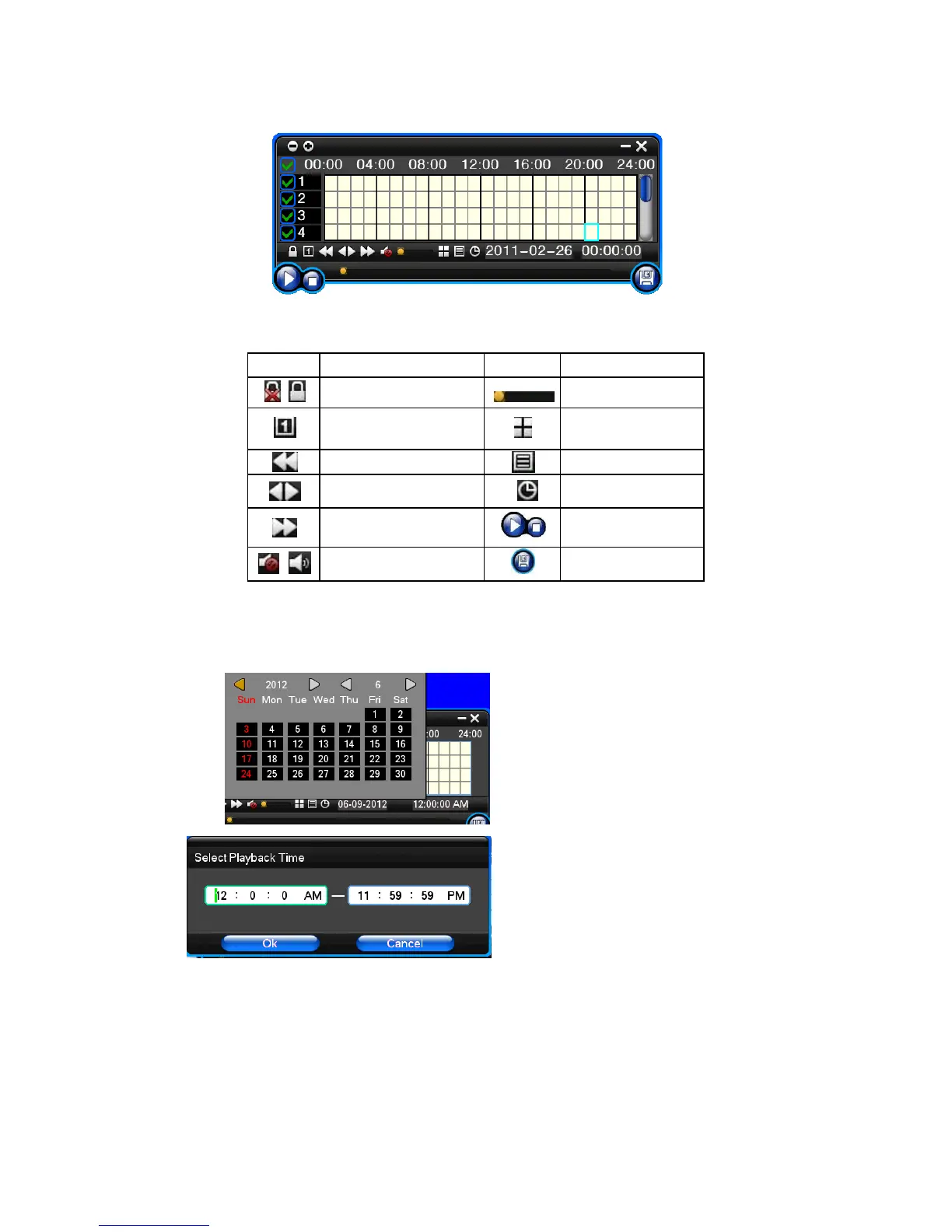
3.7 Playback video
Button
Description
Button
Description
Synchronous/asynchronous play
Voice adjustment
frame by frame
1/4/8/9screen(switch image)
Speed slow
Hide / display list
Speed normal
recording date
Speed fast
Play/pause/stop
Sound off/on
rewind
Note:
1) During playback the Playback Tool will show the file playback speed, channel, timing, playback speed etc. information in the Playback control panel;
2) Cant same time to select the Fast forward operation function in over 2 channel, only progress in anyone channel;
3) Can drag the Playback Speed toolbar by mouse;
4)In this dialog you can select the video precise to the second.


Related product manuals