16
Chapter Four Menu Operation Guide
4.1 Recording Setup
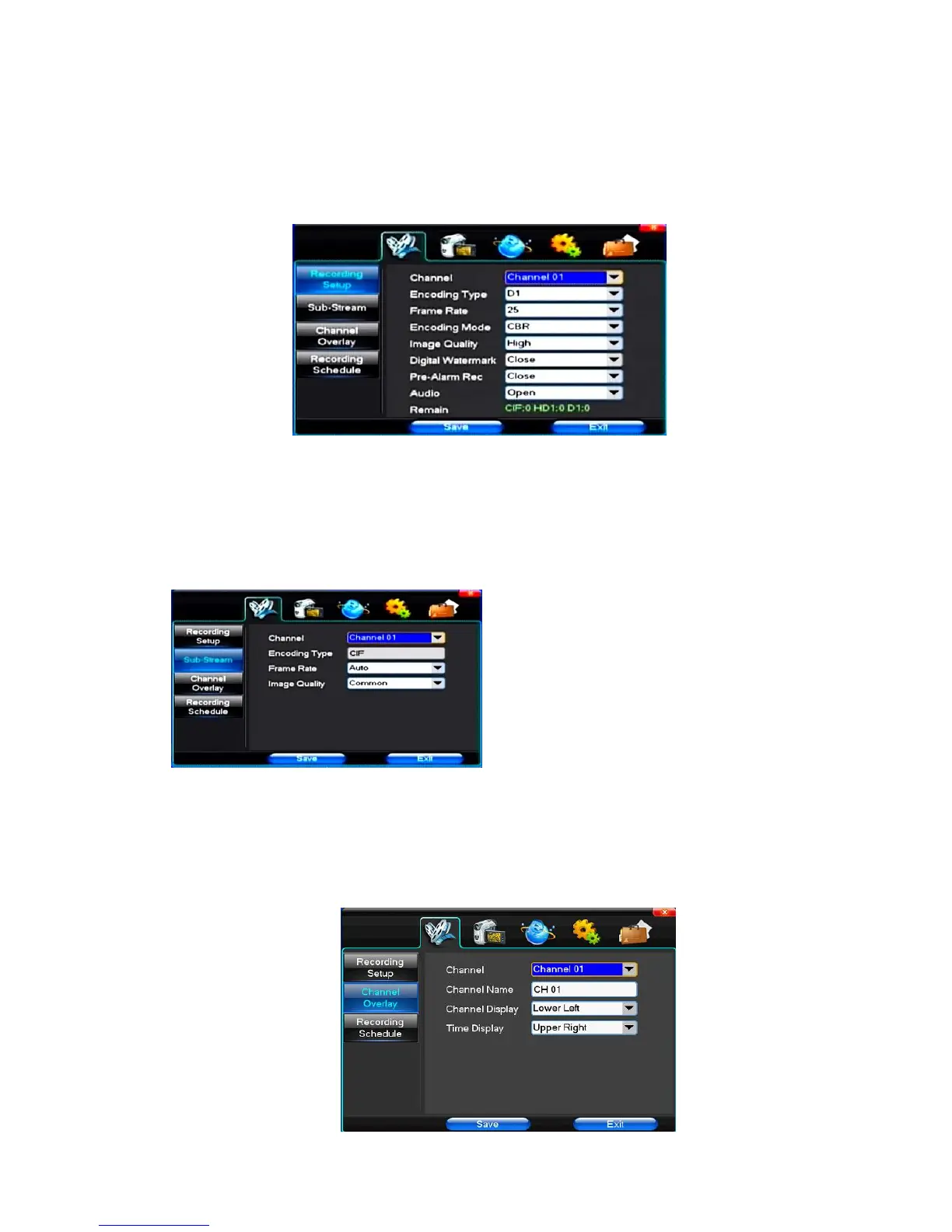
(1) Recording Setup
【Channel】Choose the need to install passage "whole" says setting all channels.
【Image Size】CIF/HALF D1/D1,if the model is 960H,the encoding format maybe is 960H/D1/CIF,if the model is 1080P,the encoding format maybe is 1080P/720P,
different models,different encoding format
【Encoding Mode】Including fixed bitrate, dynamic bitrate.
【Image Quality】Client-side image quality, the higher the quality the clearer. Choice scope: minimum, low, general, high, highest
【Frame Rate】Can click on the button manually input, 1 ~ 25 frames per second (PAL) or 1 ~ 30 frames per second (NTSC) continuous adjustable.【Audio】Can select
close, open according to requirements
【Pre-Alarm Rec】Can select close, open according to requirements
(2)Sub-Stream
【Channel】Choose the need to install passage "ALL" says setting all channels.
【Encoding type】CIF
【Frame Rate】Including auto/1/2/3/4.
【Image Quality】Including lowest/low/Common/Hihg/Highest
(3)Channel Overlay



 To Next Page