17
【Channel】Choose the need to install passage "whole" says setting all channels.
【Channel Name】Can manual corresponding input channel's name
【Channel Display】Can choose according to the requirements of users don't use, the top-left corner, left, lower, middle and downward, upper, right, and lower.
【Time Display】Can choose according to the requirements of users don't use, the top-left corner, left, lower, middle and downward, upper, right, and lower.
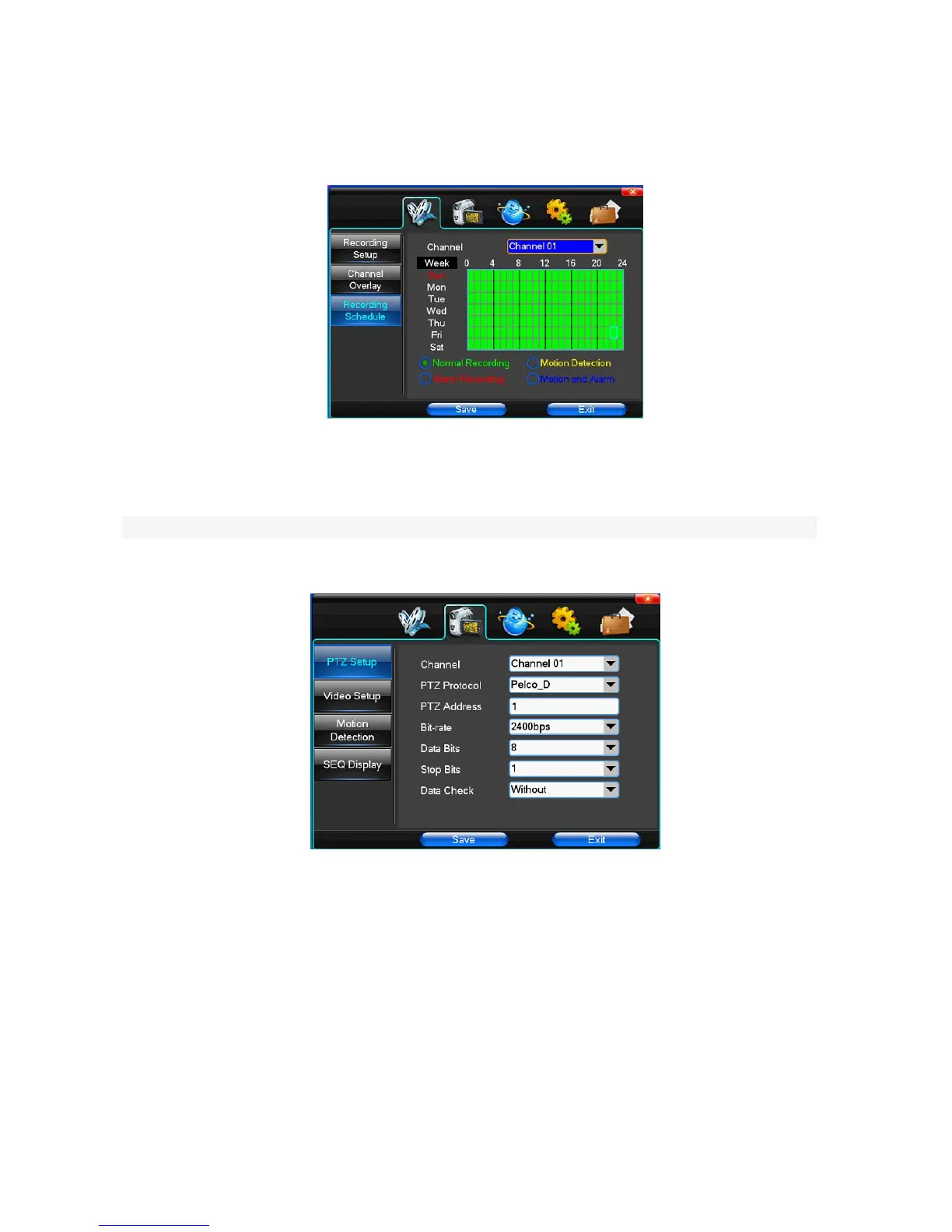
(4)Recording Schedule
【Channel】Choose the need to install passage "whole" says setting all channels.
Each longitudinal row of every seven days a week, said the 24 hours a day manipulated said, mouse the left key click on the small square footage, setting time to
clean it has chosen right-click drag video time.
4.2 Camera
When the system starts the camera will detect the format of video
(1) PTZ Setup
【Channel】Choose regional channels, yuntai Settings "whole" says setting all channels
【PTZ Protocol】Yuntai equipment communication protocol
It contains these options:Pelco_D、Pelco_P、LILIN、MINKING、STAR、VIDO、NEON、DSCP、HY、N-control、RM110、SAMSUNG,the default option is Pelco_D.
★Note: yuntai parameter Settings every channel need after completion in Settings of gc1318 alone.
【PTZ Address】Yuntai equipment address, digital range 0 to 255.
★Note: here with the address must be consistent ball machine address, we can't control the ball machine.
【Bit-rate】Yuntai equipment baud rate.
(2)Video Setup



 To Next Page