19
【Time】 Interval time from 5s to 255s
【Full page】 select channel to switch
【
Quad page
】Quad mode.
4.3 Network Setup
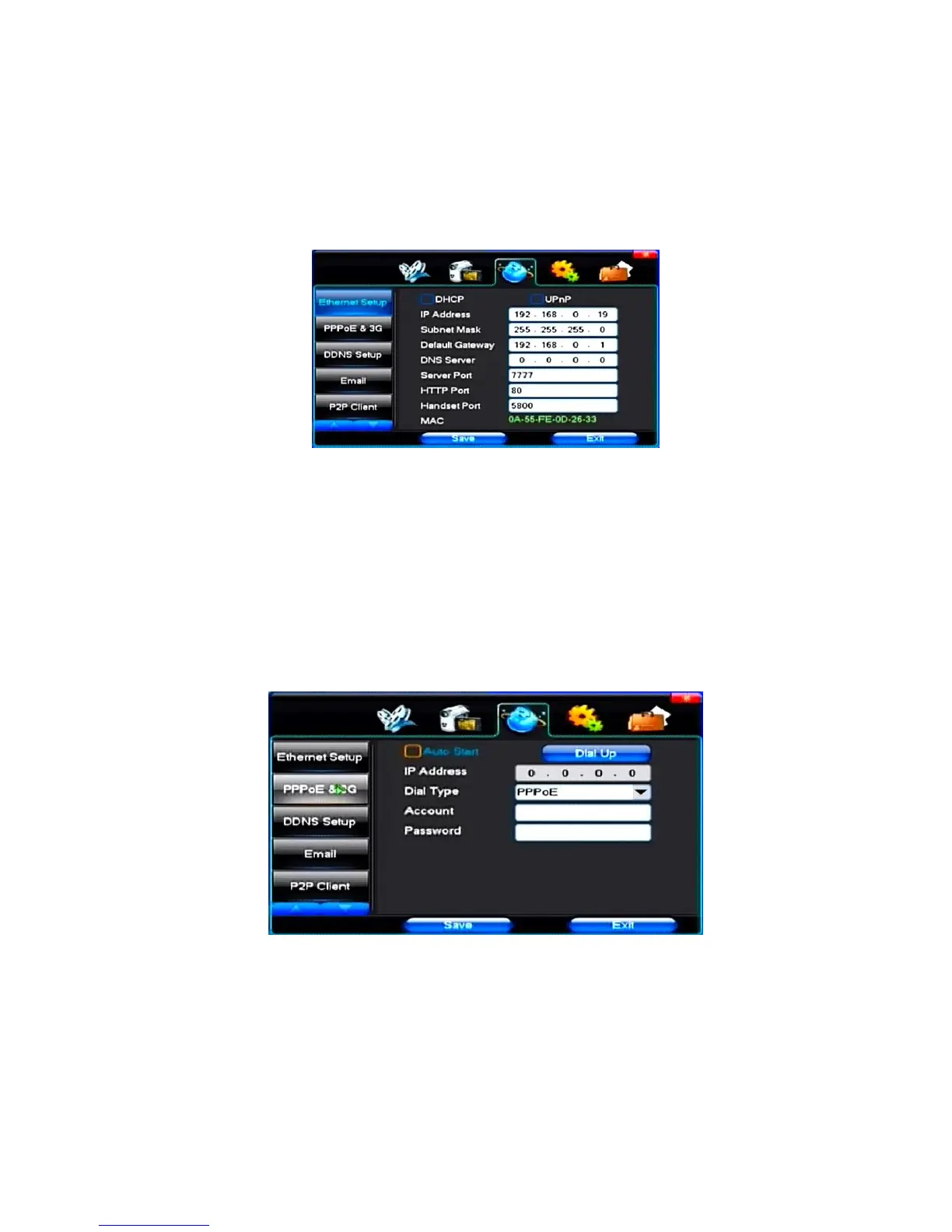
(1)General Setup
【DHCP】After checked automatic assignment device will get IP address, subnet mask, the default gateway, the DNS server, etc
【UPnP】Can choose according to the requirement
【IP Address】Network logic address can according to the requirements set
【Subnet Mask】Server subnet mask
【Default Gateway】Server gateway
【DNS Server】DNS server addresses
【Server Port】Data port, initial socket for 7777
【HTTP Port】the default port for 80. If change, when using IE browser, need to monitor the IP address, adding new socket. If use IP address to 82, from the original
browsing http://192.168.0.19, change for http://192.168.0.19:82.
【Handset Port】Network phones socket, initial socket for eight thousand eight hundred and eighty eight
(2)Dial-UP Setup
Tip: PPPoE dial-up successful, according to 【 PPPoE IP 】 shown on IP address, users can remote access hard disk video recorder. By nic LAN IP access.
The dvr support model:
Unicom:huawei E173,zhongxing MF100
Telecom:huawei EC150.huawei EC156.zhongxing MF583
“3G DIAL” have two modes with automatic and manual dialing, the operation follows as below.
1. Automatic Dialing
Select the Automatic Dialing in the interface of the following picture, fill the right information according to the operator where the 3G card belongs to and the 3G
referred guide, It includes IPS names, AP, dial-telephone, ID and password, the interface shows as the other following picture (some IPS once be chosen, the other
relative information has been already done, so you needn’t fill any more, click “SAVE” directly). Then click “Save” directly. After having detected the 3G signal when
DVR start, the system will dial up automatically.



 To Next Page