21
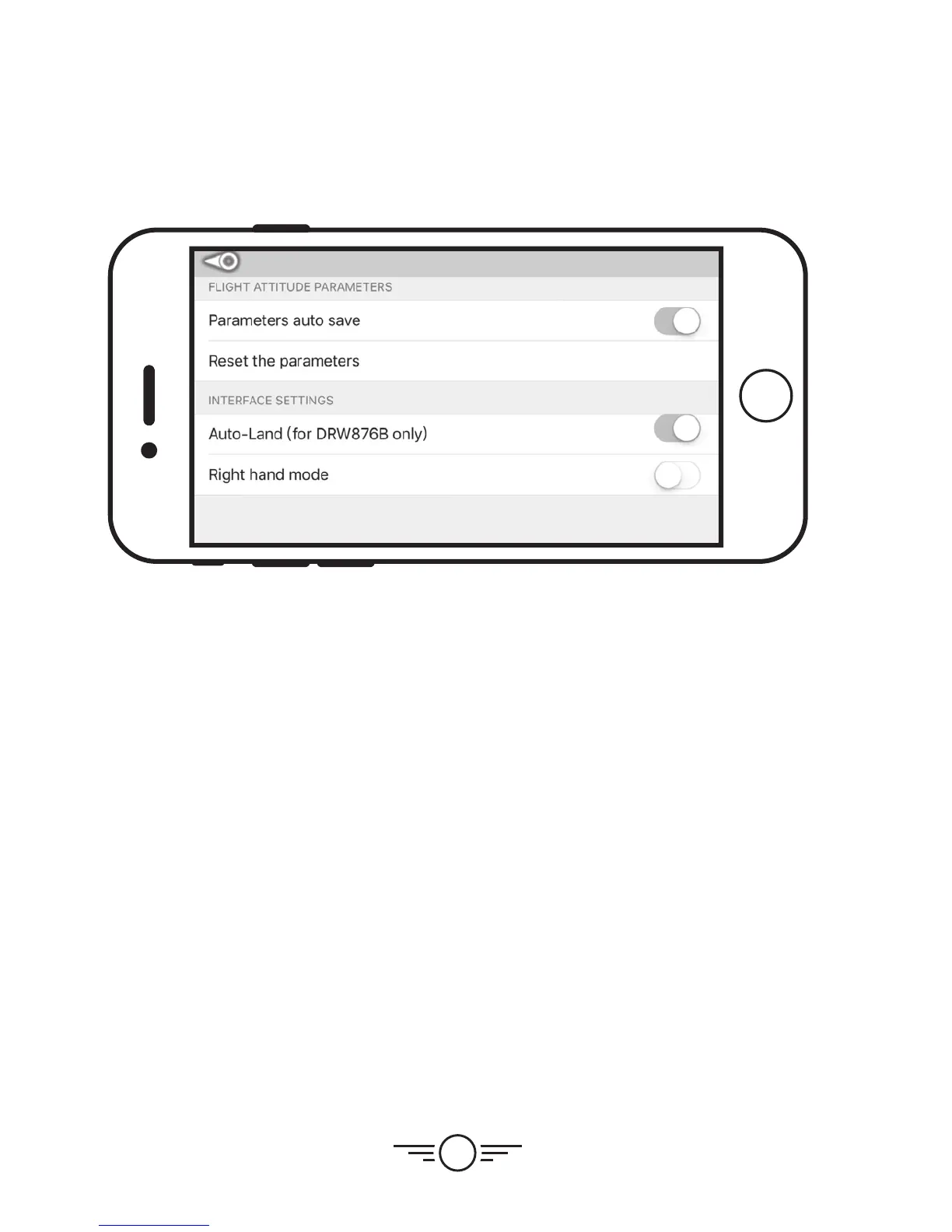
Settings Screen
Parameters Auto Save
Trim settings adjusted in the app will be saved for future flights.
Reset the Parameters
Reset trim settings to default.
Right Hand Mode
Reverses the locations of the Left and Right flight controls on the flight screen.
Auto-Land (DRW876B Only)
Enables Auto-Land and Start Up controls for the app. When Flying the Condor Pro
(DRW876), this setting must be ON.


 To Next Page