23
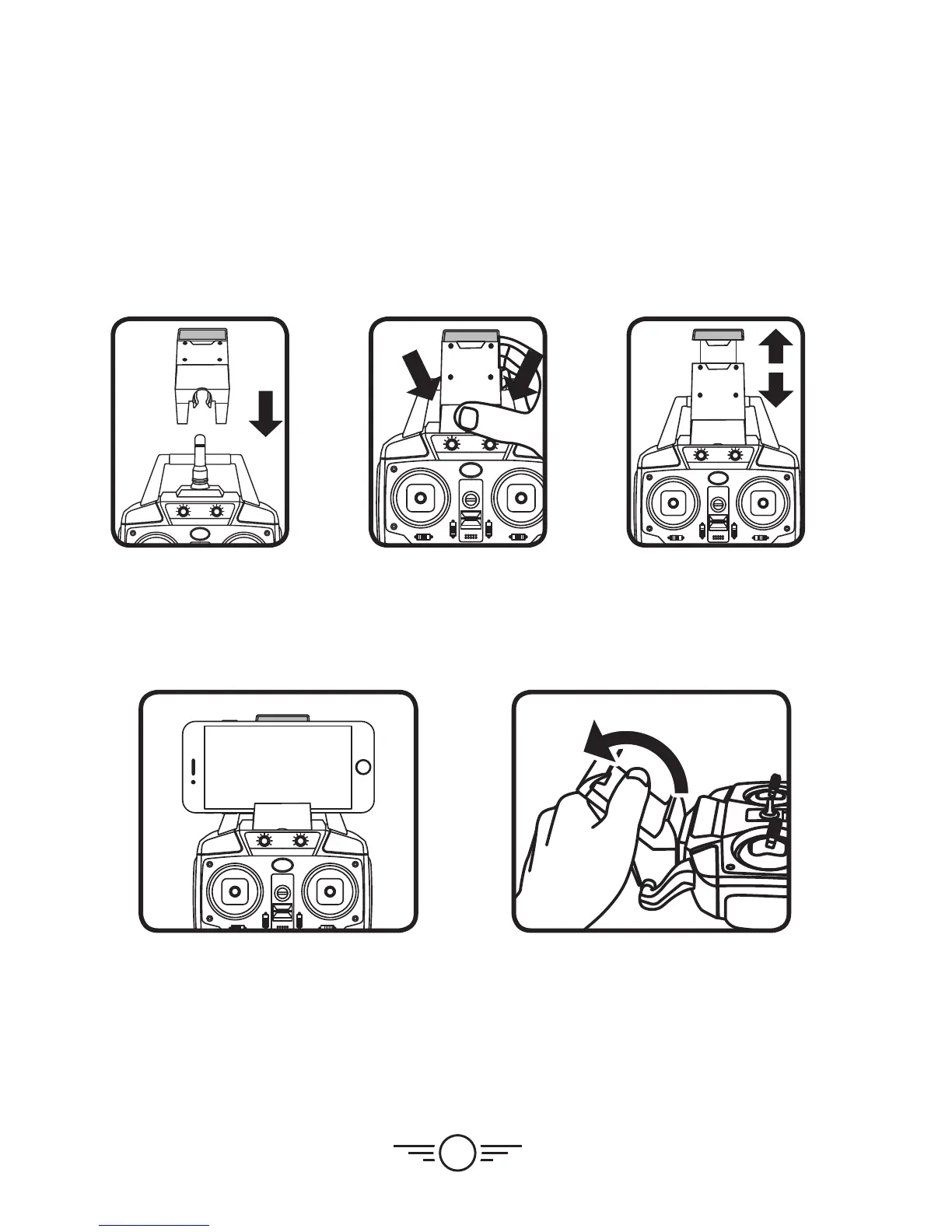
Attach Smartphone Cradle
You can use your smartphone and the remote control together by attaching the included
smartphone cradle to the top of the remote. This can be useful for photography and video,
or for flying the craft just by watching the screen.
Slide the cradle
into position on the
remote antenna
and handle.
Gently press on the
cradle until it locks
into place.
Pull upwards on
the top of the
cradle so that
it will fit your
smartphone.
Place your phone in the
cradle and release the
top portion. Your phone
should sit firmly in place.
To remove, gently pull the
cradle off of the remote
in a twisting motion, as
shown above.


 To Next Page