ROUTER DESCRIPTION
5.7. User interfaces (connectors)
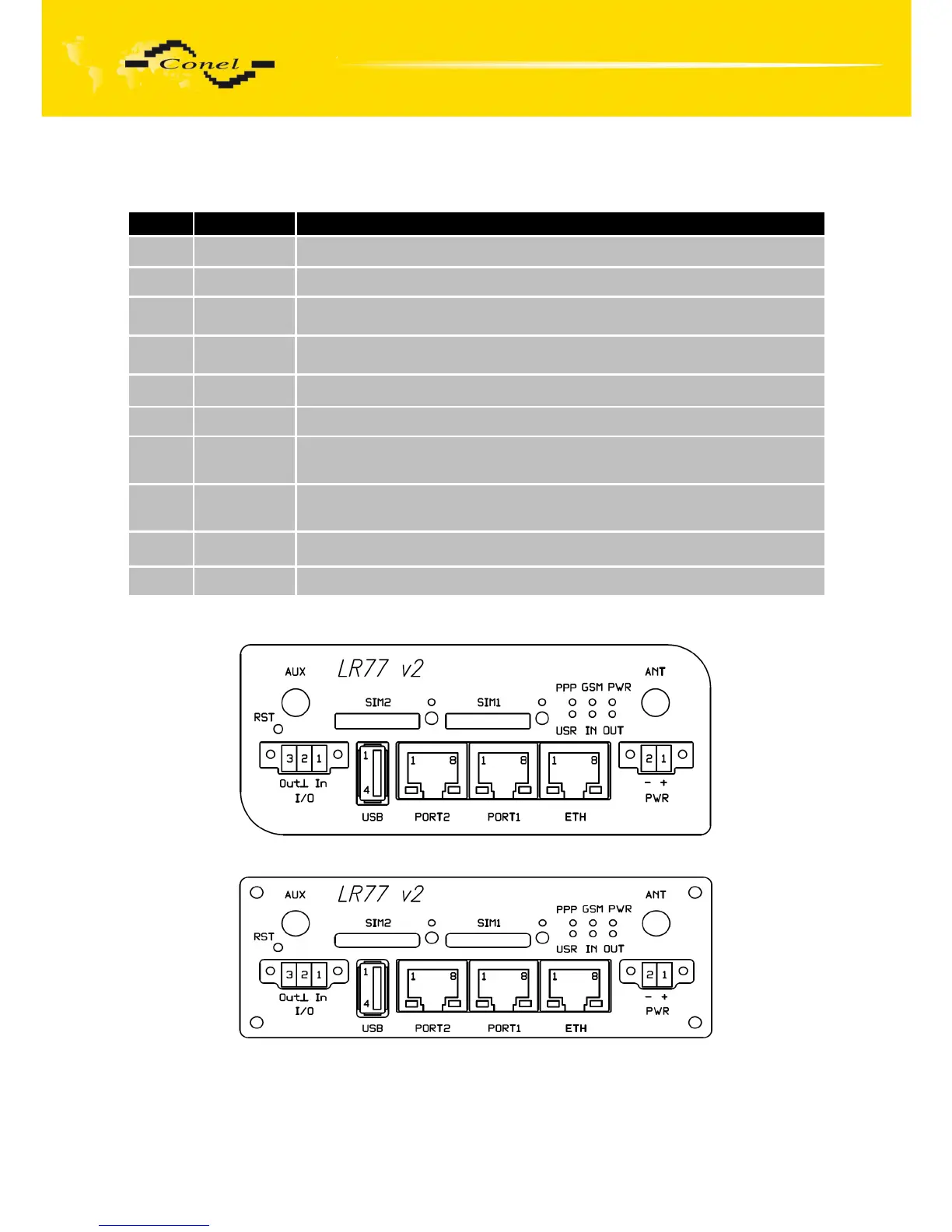
On the front panel is located:
Label Connector Description
PWR 2-pin Connector for connection the power supply adapter.
ETH RJ45 Connector for connection into the local computer network.
PORT1 RJ45
Connector for connection equipment over RS232, RS458/422,
ETHERNET, M-BUS, CNT or XC-SW.
PORT2 RJ45
Connector for connection equipment over RS232, RS485/422, M-BUS or
XC-SW (only FULL version).
ANT SMA Connector for connection main antenna.
AUX SMA Connector for connection diversity antenna.
USB USB-A Host
Connector– for connection the devices with the router, USB supports
equipments with PL-2303 and FTDI USB/RS232 converter.
I/O 3-pin Connector for connection of the binary input and output.
SIM1 - Holder for first SIM card.
SIM2 - Holder for second SIM card (only FULL version).
Table 6: Front panel description
Fig. 16: Front panel LR77 v2F
Fig. 17: Front panel LR77 v2F SL
10



 To Next Page