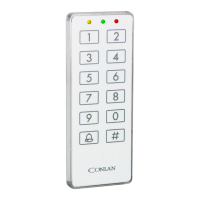
6. Blocking
The C1000LP is blocked for 1 minute after 4 incorrect codes.
LEDindication:○ ○ *
7. Manual reset
The C1000LP can be reset to factoty default manually.
•Turnthevoltageo.
•Connecttheyellowandbrownwire.
•Turnthevoltageon(2-16VDC)thereadersLED’slightsandthebuzzersounds.
•Turnthevoltageoanddisconnecttheyellowandbrownwire.
TheC1000LPisnowresettofactorydefaultandtheusercodesaredeleted.
8.Technicalspecications
Voltagerange: 2-16VDC
Mifarereading: Max.50mm
Output: 2xopencollector,max.500mA
Input: Externalbuzzer/Feedback(brown)andREX,0Vactive(blue)
Rang: IP67
Farve: Blackorwhite
Kabel: 2,5meterwhite,8cores
Size(HxBxD): 130x50x8mm
12


 To Next Page