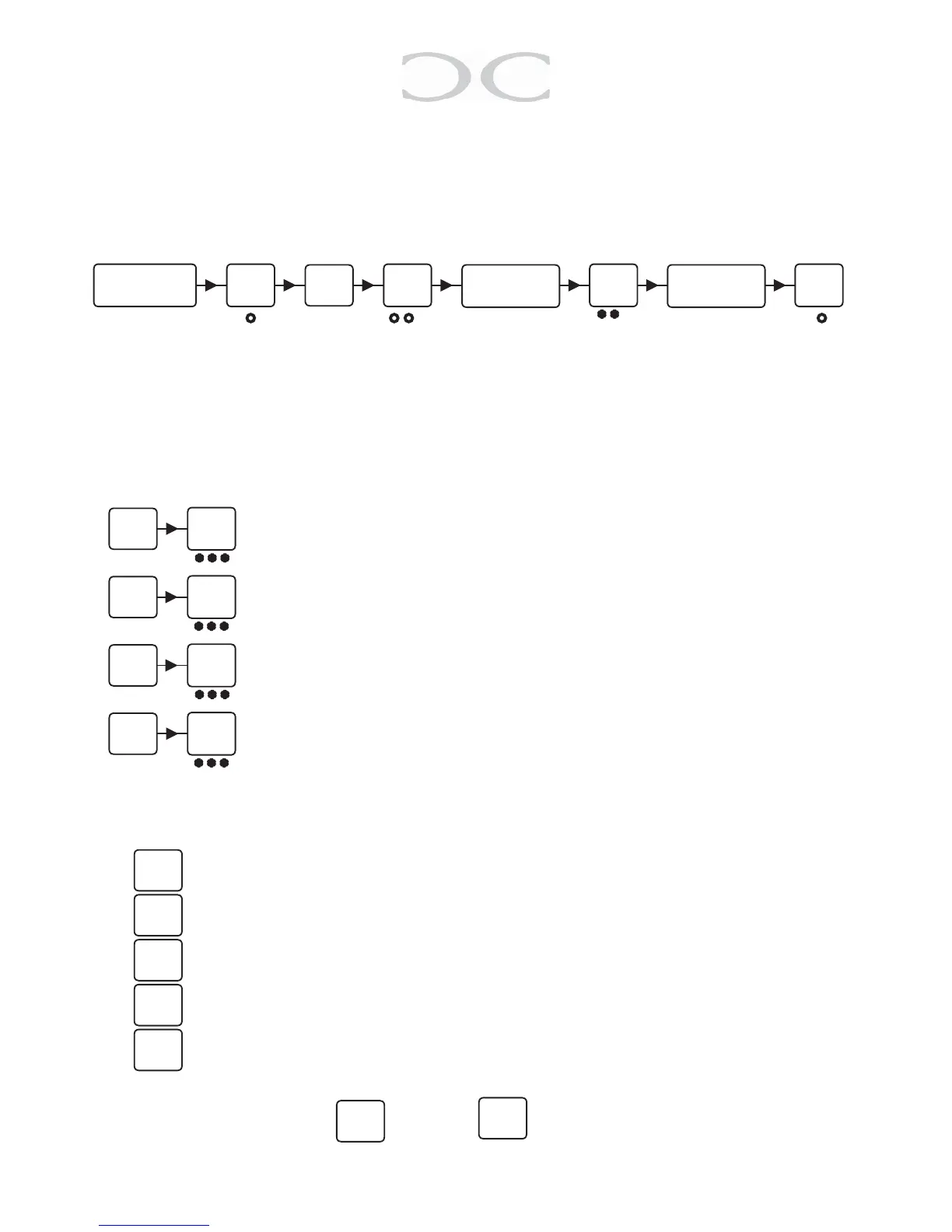
5.4 Changing the Service code
TheServicecodeisusedtoconguretheC1000LP’ssettings.
TochangetheServicecode,enterthefollowingwithin10secondsafterpoweron:
○ ● ○ ● ● ○ * * ○ ○ ● ○
5.5 LED indications
TheC1000LP’s3LED’scanbeadjustedatwill.
ToadjusttheLEDindicationsenterthefollowing:
adjust the LED’s for standby indication (normal).
adjust the LED’s for correct code indication (active).
adjustthekeyingindication(howtheLEDwillreactwhilekeying).
ToadjusttheLED’spressonthefollowing:
=yellowLED(togglebypress)
= green LED (toggle by press)
= red LED (toggle by press)
=buzzer(worksonlyonactiveandkeyingindication(togglebypress))
= save and go one step back
To save the settings press or press to go back to the previous point
(not saving).
#
Key in the
Service code
#
Key in
01
#
Keyinnewcode
#
Repeatnewcode
#
02
#
1
#
2
#
3
1
2
3
0
#
9
* * *
* * *
* * *
* * *
#
*


 To Next Page