USB to Serial Converters Manual
Version 2.0
Document Reference No.: CP_000032 Clearance No.: CP#022
Copyright © Connective Peripherals Pte Ltd 14
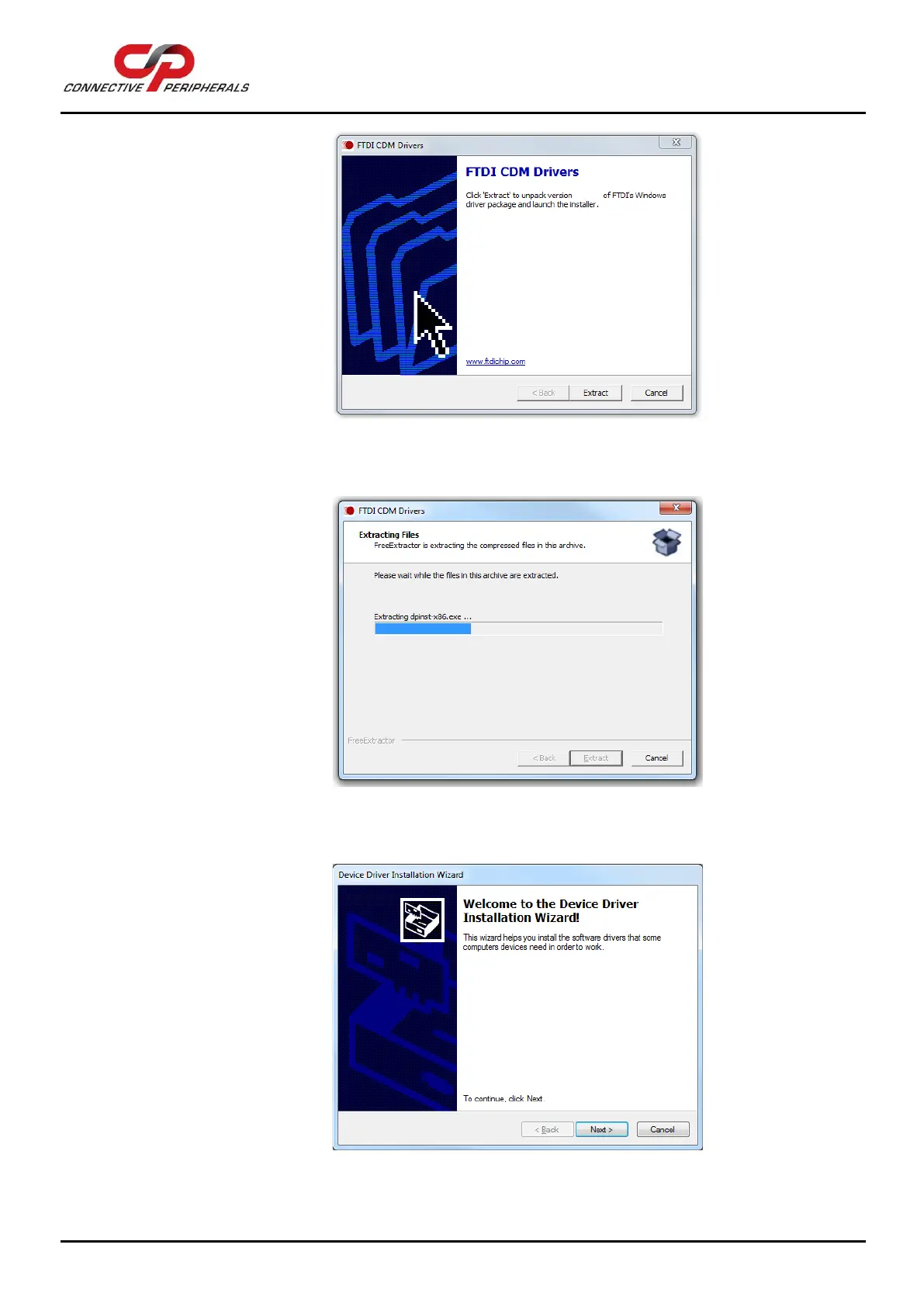
Figure 11 Install Wizard initial window
e. Windows will now extract the files provided in the setup program.
Figure 12 Install Wizard – extracting files
f. Click ‘Next’ to begin installing the driver.
Figure 13 Install Wizard – ready to install


 To Next Page