USB to Serial Converters Manual
Version 2.0
Document Reference No.: CP_000032 Clearance No.: CP#022
Copyright © Connective Peripherals Pte Ltd 20
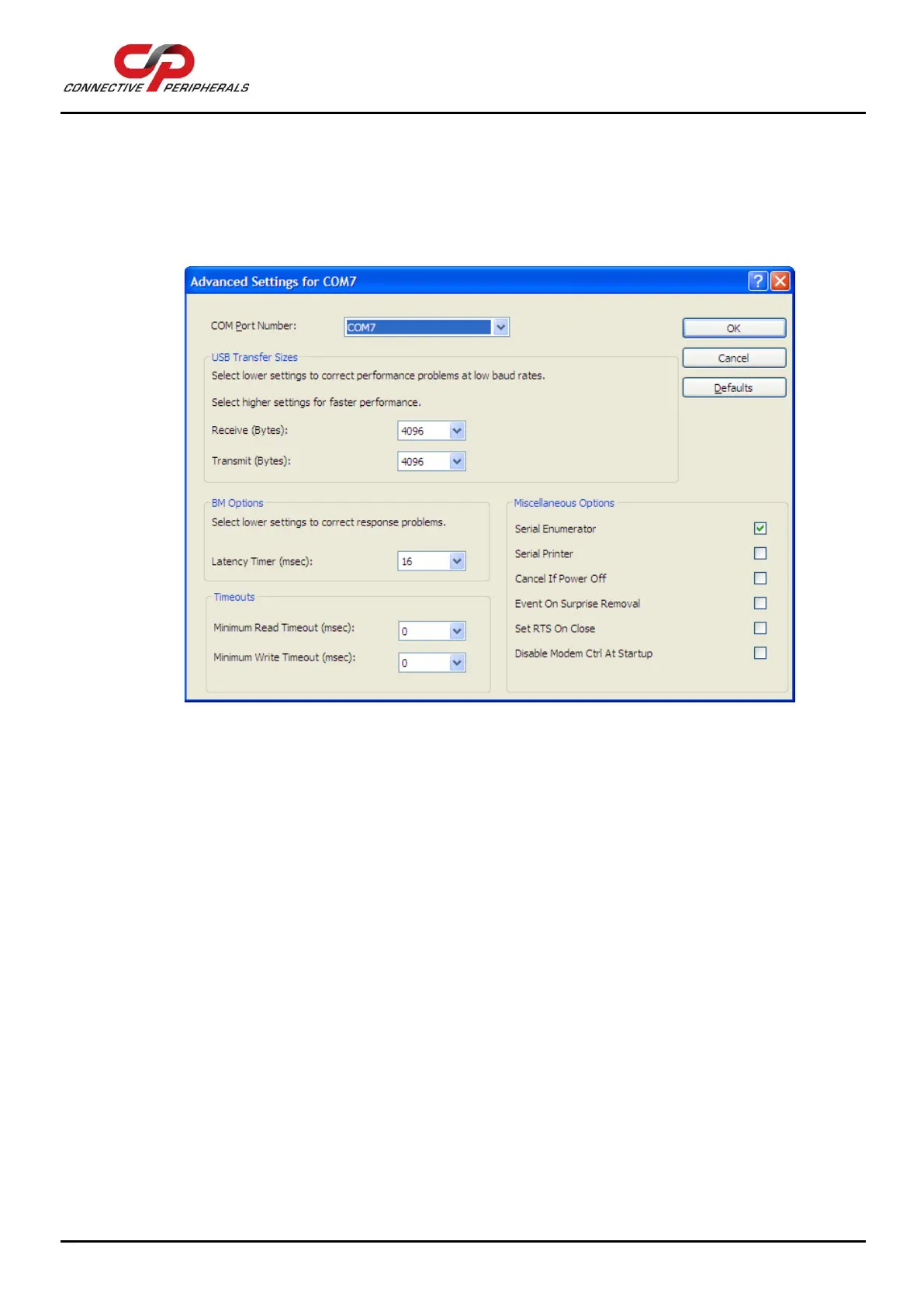
1. Double-click the "USB Serial Port "in the Device Manager.
2. Select "Port Setting" and “Advanced”.
3. Click the drop down arrow on COM Port Number, scroll to the required COM port and Select "OK".
4. Return to the Device Manager Screen. You will see that the USB Serial Port installation has been
changed to the new COM Port Number.
Figure 21 - Advanced port settings dialog


 To Next Page