USB to Serial Converters Manual
Version 2.0
Document Reference No.: CP_000032 Clearance No.: CP#022
Copyright © Connective Peripherals Pte Ltd 19
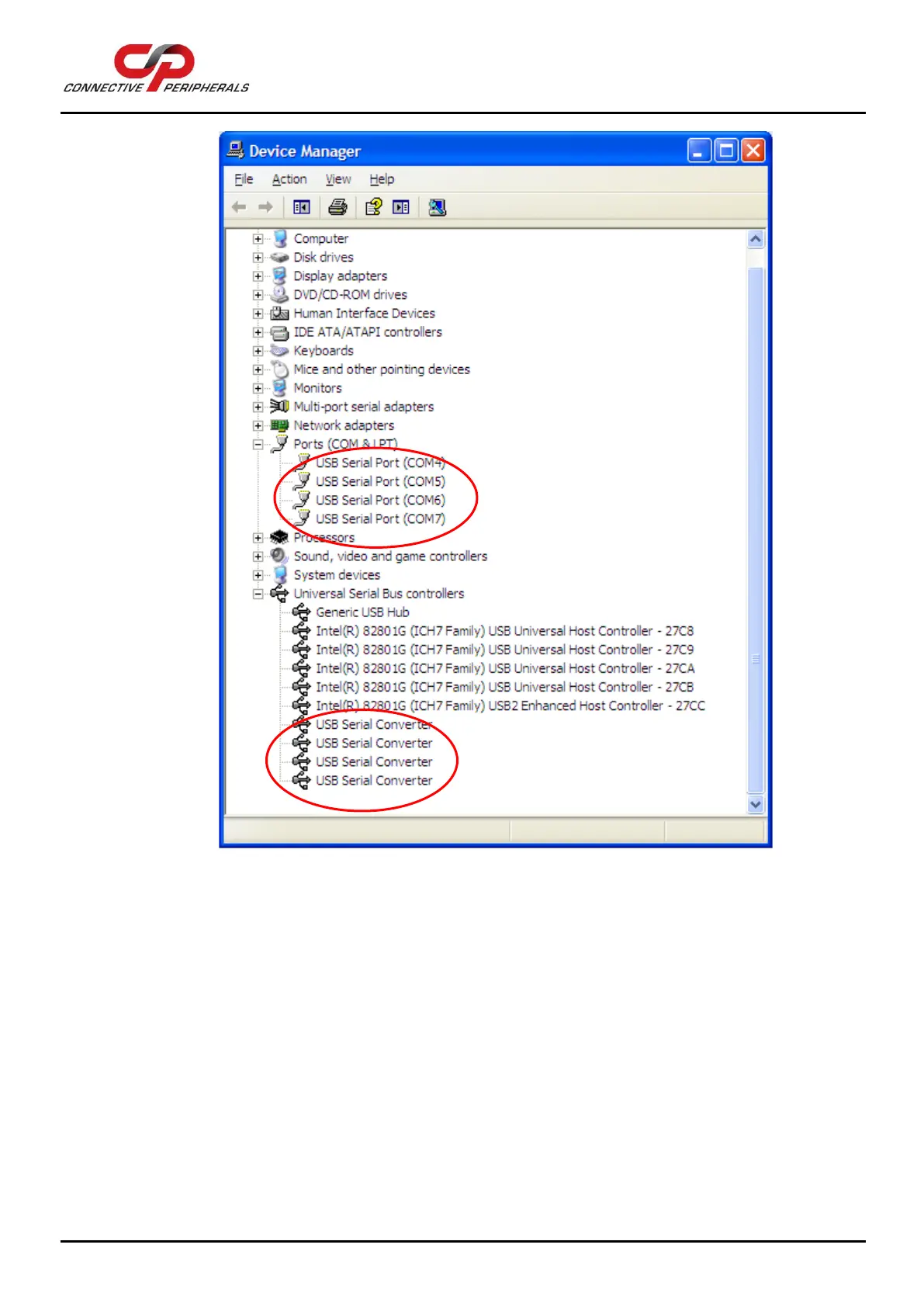
Figure 20 - Device Manager after installing a converter with four ports
4.4 Changing
COM Port
Properties
and COM
Number
This feature is particularly useful for programs which only work with COM1 through COM4. Please note that
you cannot change to a COM port number which is already in use.
To change the virtual COM port properties:


 To Next Page