24 25
Setting the time
XTo enter the menu, press the volume up button and the
volume down button simultaneously.
XNavigate to the menu entry Time by pressing the
volume up button or the volume down button.
XConfirm your selection by pressing the program change
button.
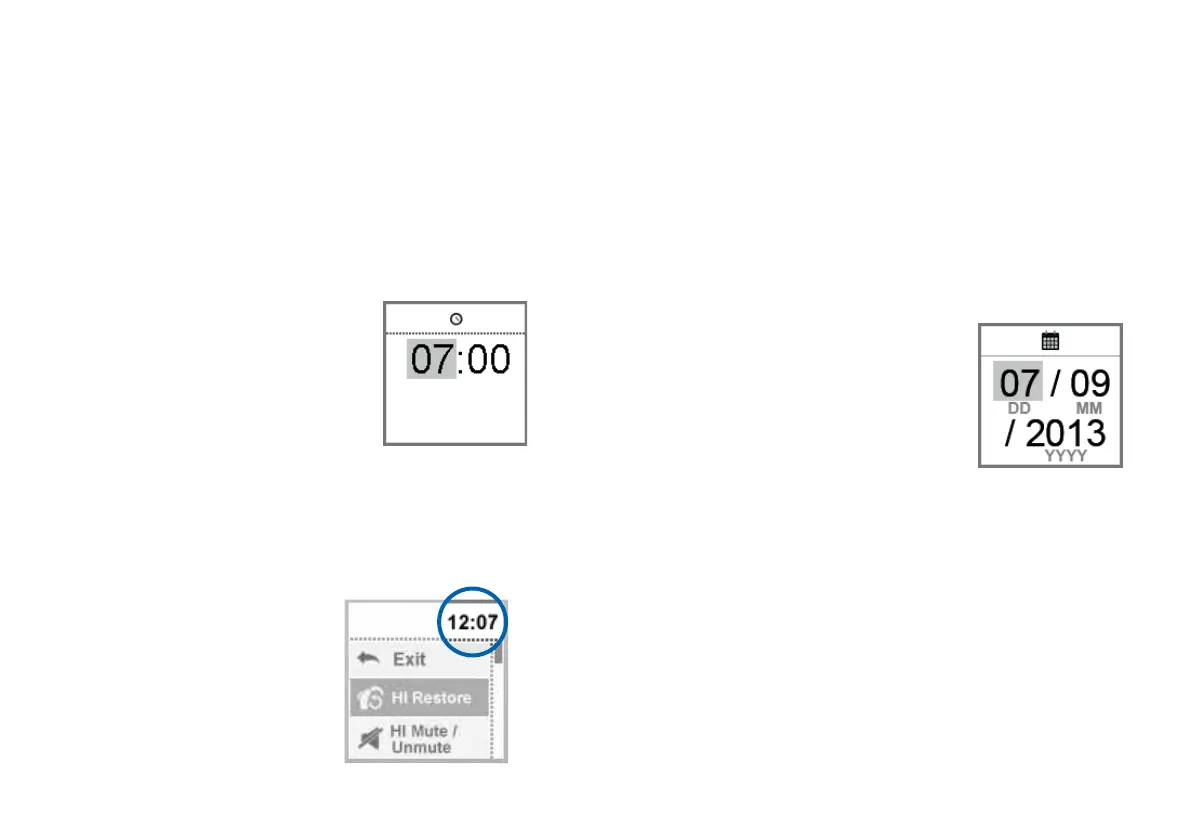
The entry field for hours is highlighted.
XSet the hours by pressing
the volume up button or the
volume down button.
XConfirm your setting by pressing
the program change button.
The entry field for minutes is
highlighted.
XSet the minutes by pressing the volume up button or
the volume down button.
XSave the settings by pressing the program change
button.
The time is displayed.
The time is always displayed
in the header of the menu.
To enter or exit the menu,
press the volume up button
and the volume down button
simultaneously.
Set-up and service functions
Setting the date (for programmed Smart Remote only)
XTo enter the menu, press the volume up button and the
volume down button simultaneously.
XNavigate to the menu entry Date by pressing the
volume up button or the volume down button.
XConfirm your selection by pressing the program change
button.
The entry field for days is highlighted.
XSet the day by pressing the
volume up button or the
volume down button.
XConfirm your setting by pressing
the program change button.
The entry field for months is
highlighted.
XSet the month by pressing the volume up button or the
volume down button.
XConfirm your setting by pressing the program change
button.
The entry field for years is highlighted.
XSet the year by pressing the volume up button or the
volume down button.
XSave the settings by pressing the program change
button.
The date is displayed.



 To Next Page