8 9
Display
All actions initiated with the remote control are
immediately reflected on the display.
The remote control does not receive information from
your hearing instruments. All actions that you initiate with
the controls of your hearing instruments are not reflected
on the remote control’s display.
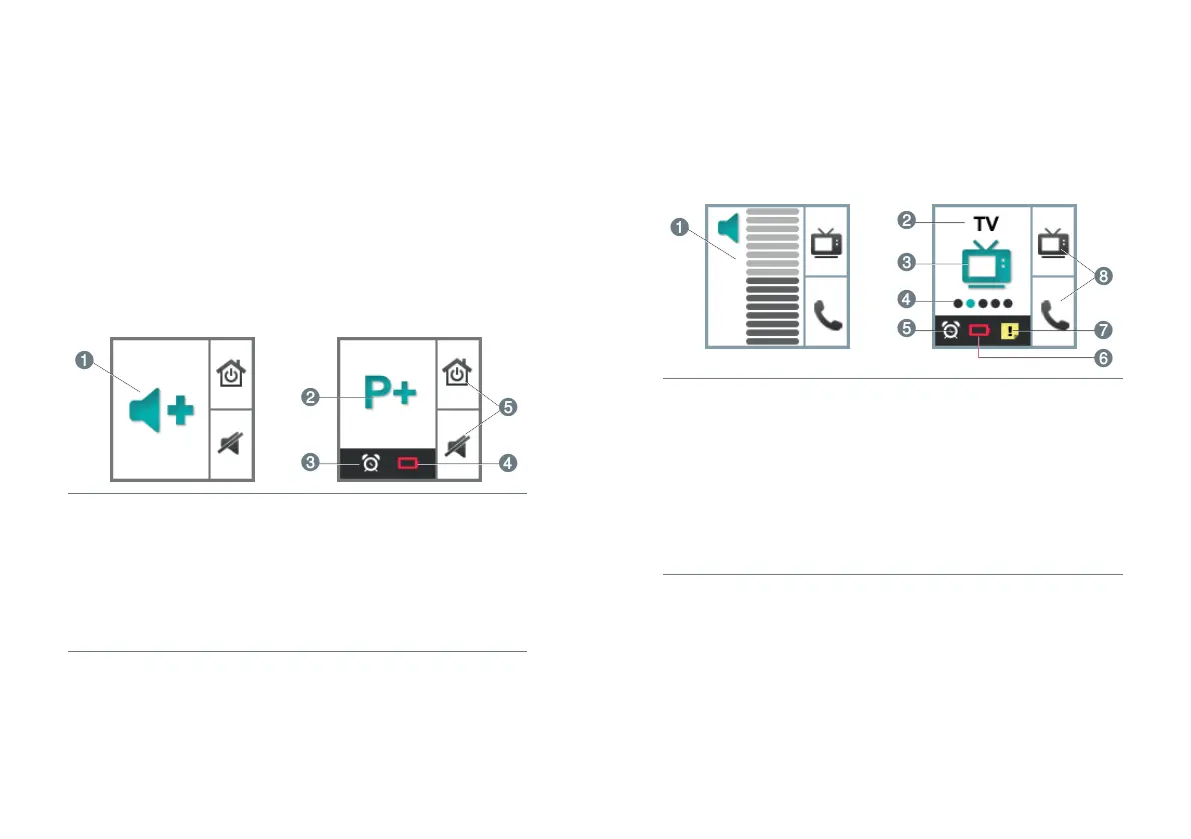
Display of the unprogrammed Smart Remote
➊
Indicates change of
volume
➊
Indicates change of
hearing program
➊
Alarm clock is activated
➊
Batteries of the remote
control are low
➊
Function of control
buttons
Display of the programmed Smart Remote
Depending on your hearing instrument model, the display
might be different.
➊
Indicates change and
level of volume
➊
Program name
➊
Program icon
➊
Program number
➊
Alarm clock is activated
➊
Batteries of the remote
control are low
➊
Service reminder is active
➊
Function of programmable
control buttons
Power save mode
If the remote control is not used for some time, the
display automatically turns black. The remote control is
then in its power save mode.
XPress the program change button to activate the
display again.



 To Next Page