EasyManua.ls Logo

Contax Tvs III - Page 52

Contax Tvs III
67 pages
Print Icon
To Next Page IconTo Next Page
To Previous Page IconTo Previous Page
Loading...
(D
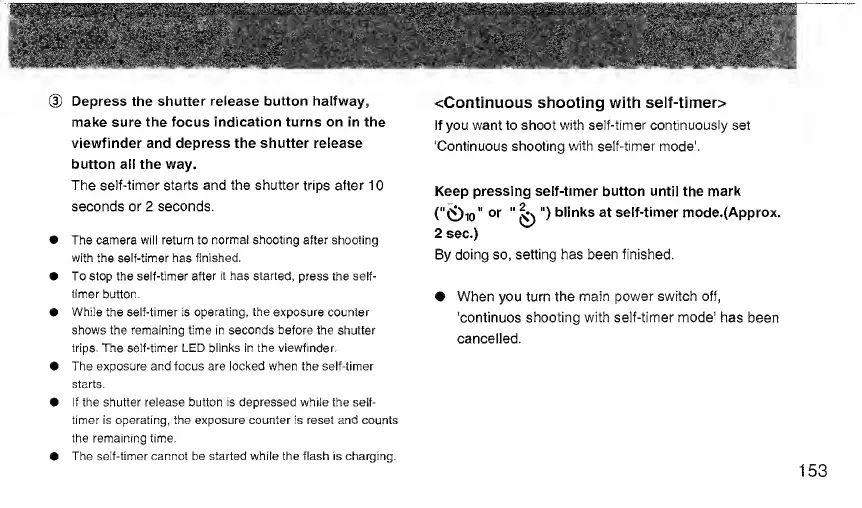
Depress
the
shutter
release
button
halfway,
make
sure
the
focus
indication
turns
on
in
the
viewfinder
and
depress
the
shutter
release
button
all
the
way.
The
self-timer
starts
and
the
shutter
trips
after
10
seconds
or
2
seconds.
The
camera
will
return
to
normal
shooting
after
shooting
with
the
self-timer
has
finished.
To
stop
the
self-timer
after
it
has
started,
press
the
self-
timer
button.
While
the
self-timer
is
operating,
the
exposure
counter
shows
the
remaining
time
in
seconds
before
the
shutter
trips.
The
self-timer
LED
blinks
in
the
viewfinder.
The
exposure
and
focus
are
locked
when
the
self-timer
starts.
if
the
shutter
release
button
is
depressed
white
the
self-
timer
is
operating,
the
exposure
counter
is
reset
and
counts
the
remaining
time.
The
self-timer
cannot
be
started
while
the
flash
is
charging.
<Continuous
shooting
with
seif-timer>
If
you
want
to
shoot
with
self-timer
continuously
set
'Continuous
shooting
with
self-timer
mode'.
Keep
pressing
self-timer
button
until
the
mark
(''0io"
^
")
blinks
at
self-timer
mode.(Approx.
2
sec.)
By
doing
so,
setting
has
been
finished.
When
you
turn
the
main
power
switch
off,
'continues
shooting
with
self-timer
mode'
has
been
cancelled.
153

Related product manuals