Edition 05/2014 - X-ONE - page 18
SACOME, CONFIDENTIAL Document,
it is forbidden to duplicate or communicate this document without previous authorization.
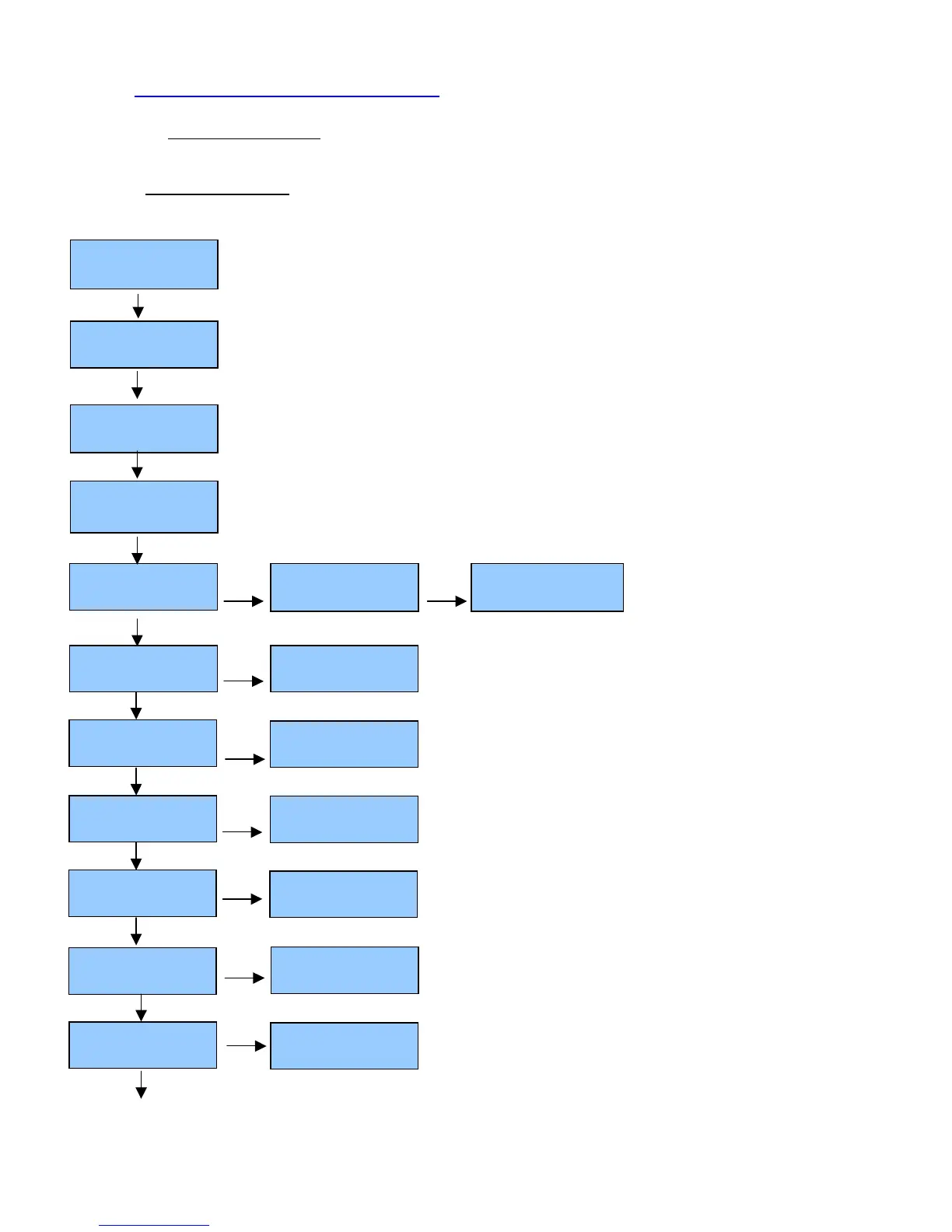
9 TECHNICAL MENU PROGRAMMING:
Machine must be in Eco mode. If not: keep pressed the MENU key, and press the ENTER key.
9.1 TECHNICAL MENU
Language
ENGLISH
Name
Doses Setting
Enabled
+
or
-
: set language (English, French, German, Spanish)
+
or
-
: set the name of the roaster or the customer
Press ENTER to go right
+ or -: to choose character
Mixer tea water
Without pump
Filling up boiler
Without pump
Service Phone
x°C HH:mm
ECO
Steam Ctrl Gr
DESABLED
Filling up boiler
With pump
Mixer tea water
With pump
+
or
-
: set the technical service phone number to call
Press ENTER to go right.
+ or - : to choose character
Press MENU on group n°1 for 10 sec to access technical menu
+ or - : To set the steam control (see
technical documentation)
Continuous key
Disabled
Continuous key
Enabled
+or-
Extraction Time
Enabled 2 groups



 To Next Page