PAGE 10 | GETTING STARTED
Connecting the NeuroNode3 Using 3D Spatial Control
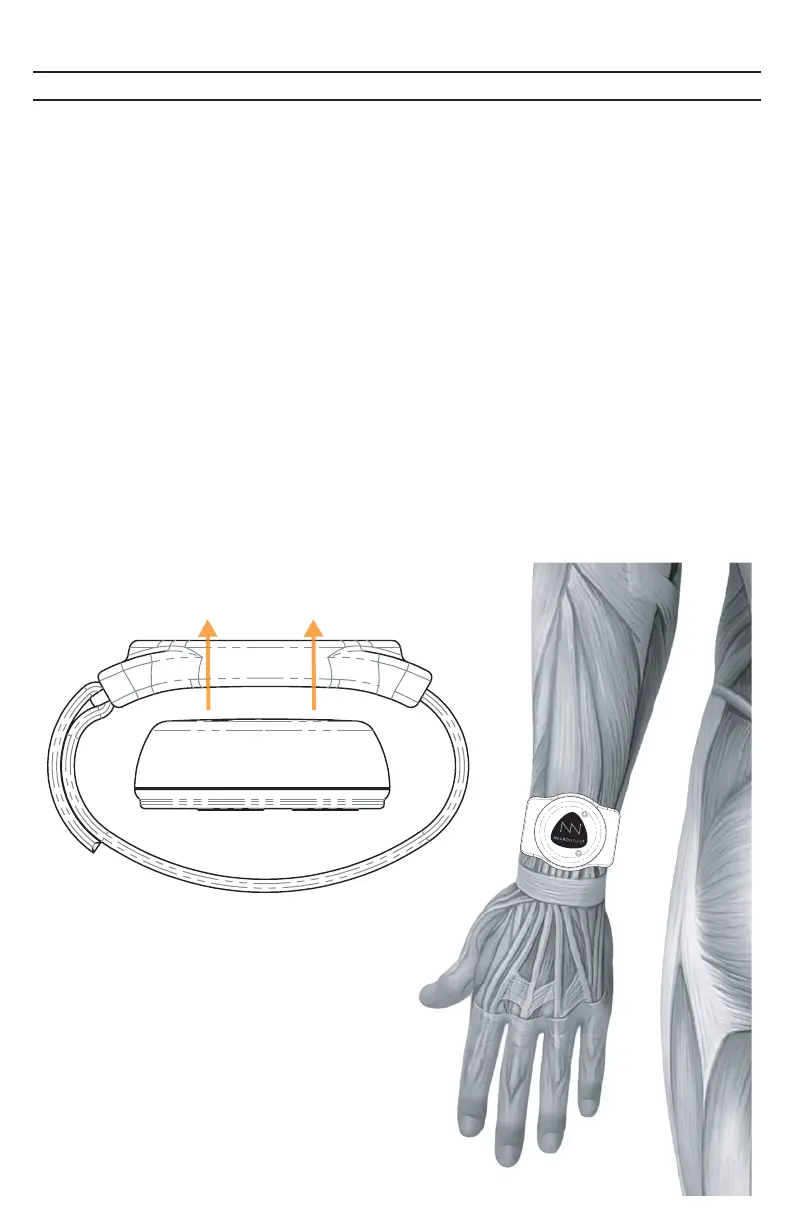
Three axes define movement: X, Y, and Z. The Spatial Settings page (accessed
from the Advanced Menu) allows the contribution of each of these axes of
movement to be changed in order to magnify or diminish their importance in the
calculation of “Activity.” For example, if using “toe tap” as a Switch, and the
NeuroNode3 is placed facing up on a shoe or a stockinged foot (strapped in
place but no electrodes required), then only the Z axis is important in the
movement. In this case, the X and Y sliders would be set to 0%.
The Spatial Settings page also allows for the X, Y, and Z activity to be graphed
along with the Spatial Activity. This visualization is useful when first determining
the percentages of the X, Y, and Z Activity sliders. Once the sliders are set, it can
be helpful to turn off the display of X, Y, and Z in order to simplify the graph and
give the user a single Activity line to track. At this point the creation of the Switch
is nearly identical to the method for switching with EMG. Simply choose Static or
Dynamic scaling and set the Signal On and Signal Off to provide the best possi-
ble Switch. Like an EMG Switch, the Spatial Switch should require a minimum
amount of effort while consistently filtering out activity that is not intended as a
Switch.



 To Next Page