NeuroNode Controller Settings
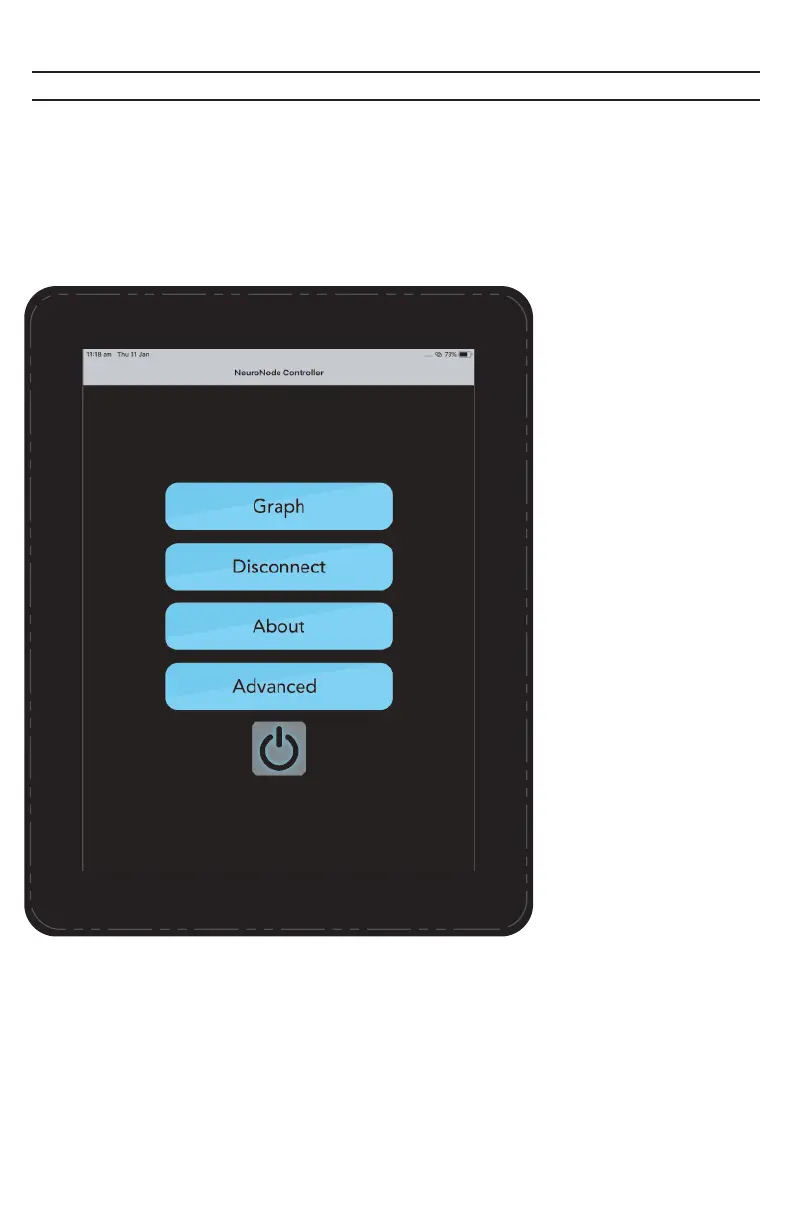
The Main Menu is accessed by selecting the Main Menu Icon from the Graph
Menu.
Graph:
View Graph.
Disconnect:
Touch this button when
the battery needs charged
or when the NeuroNode3
will be out of use for more
than 60 minutes. For
shorter breaks in a
session, consider using
the Pause/Play button on
the Graph Menu.
About NeuroNode:
Touch here to display
identifying information
about this NeuroNode3
System, including the
serial number of the
NeuroNode3, the software
version of the Application,
and the firmware version
of the NeuroNode3 itself.
Advanced:
Access the advanced
settings in order to switch
from EMG to 3D Spatial
signaling. Additionally, this
is where information is
kept to help Control
Bionics personnel provide
support.
Standby:
Touch this to turn off the
NeuroNode3 Bluetooth
radio and put the
NeuroNode3 into
low-power mode.
PAGE 19 | ACCESSORIES



 To Next Page