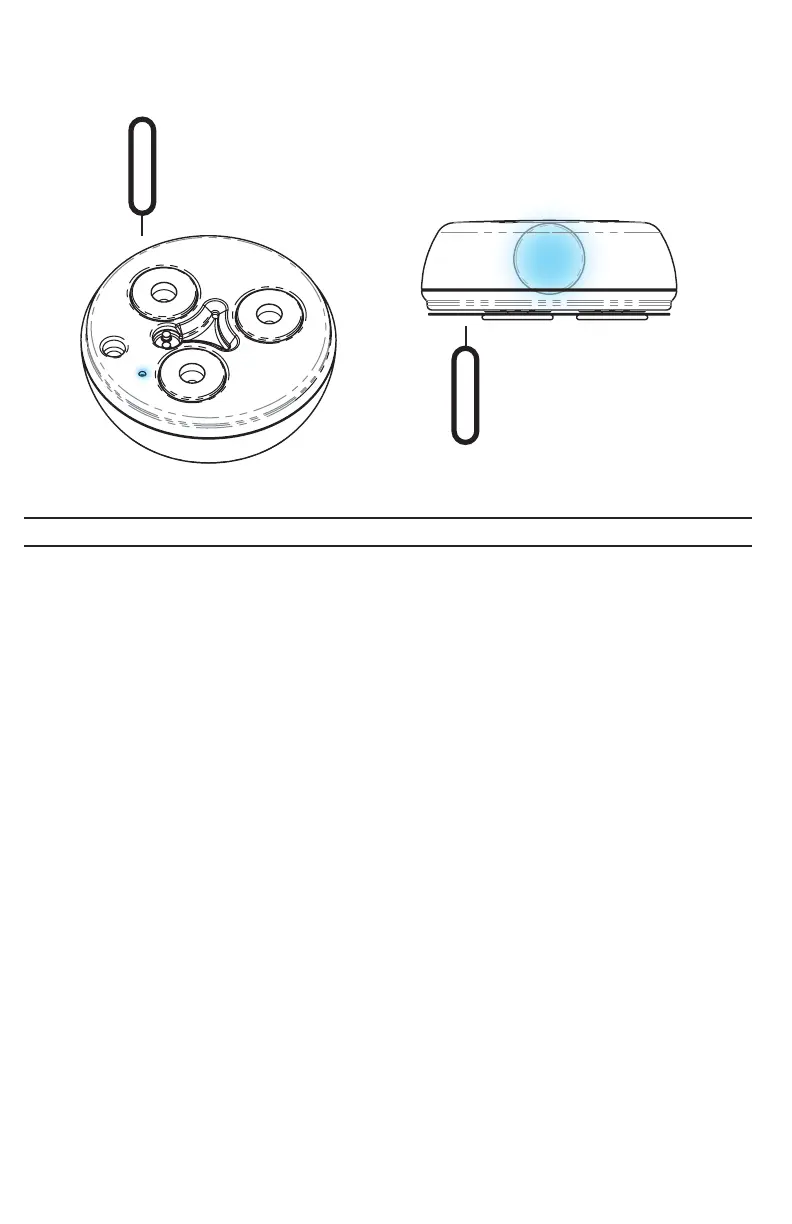
NeuroNode3 Reset + Re-pair Guide
In some circumstances it may be necessary to reset and re-pair the NeuroNode3
to the device. In order to do so, follow these steps:
1. Close the NeuroNode Controller Application.
2. Go to the device’s Bluetooth Settings and, if applicable, forget or delete the
NeuroNode3 device.
3. Turn off the device Bluetooth.
4. Upon performing a power cycle on the NeuroNode3, the device will go
through a launch sequence as a series of colors: red, green, blue, and white.
During this 5 second launch sequence, use the provided push pin tool to hold
down the standby button until a blue light begins to flash on the signal
indicator.
5. After the blue light stops flashing, the launch lighting sequence should begin
again, after which a red light will flash, indicating that the NeuroNode3 is
Bluetooth Broadcasting.
6. Turn on the device Bluetooth.
7. Launch the NeuroNode Controller Application and select “Connect to
NeuroNode.”
8. Upon receiving a NeuroNode pairing request, select “Pair.”
PAGE 27 | TROUBLESHOOTING



 To Next Page