MP3/WMA Playing
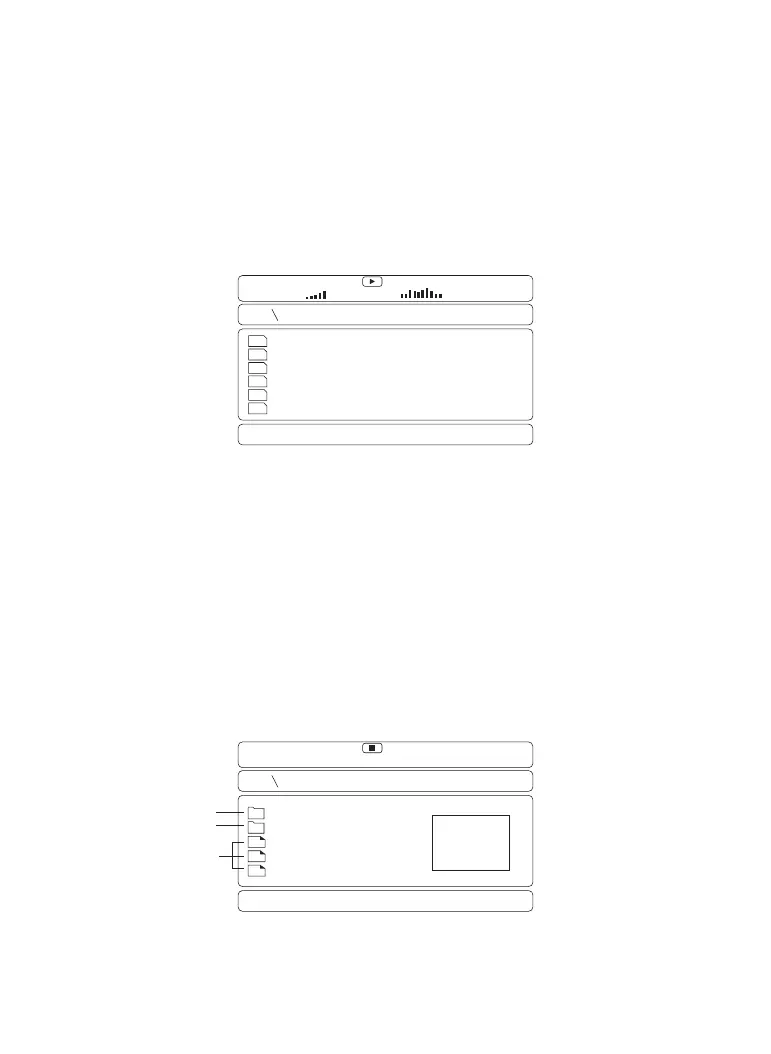
MP3/WMA/DIVX disc has a directory structure as shown in the picture.
Press the Direction key to choose the root directory and then press the
ENTER button to enter into the sub-directory. Press the Direction key to
choose the track and then press the ENTER button to enjoy the music or
movie. If you want to return to the upper menu, press the Direction key to
choose the icon and press the ENTER button.
Photo/picture CD Playback
The PICTURE CD disc has such a directory structure as shown in the
following picture.
Press Direction key to choose the picture and then press the ENTER
button to enter into the sub directory. Press Direction key to choose the
picture and then press the ENTER button on the remote control to view
the picture. Press Menu if you want to return to the menu. During the
playback, press the stop key to go to the thumbnail mode, use the
direction key to select the Menu icon for instructions on viewing features.
00:00
00:00
001:111
BEATLES
LET IT BE
BEAT IT
LOVE ME DO
BE HOPE
SHE LOVE YOU
MP3
♪
♪
MP3
♪
♪
MP3
♪
♪
MP3
♪
♪
MP3
♪
♪
MP3
♪
♪
Pictures
Folders
00:00
00:00
001:005
LONDON
ZOO
SAM
NEW YORK
WINNIE
01 02 03 04 05
06 07 08 09 10 11 12 13
14 15 16
17 18 19 20 21
22 23 24 25 26 27 28


 To Next Page