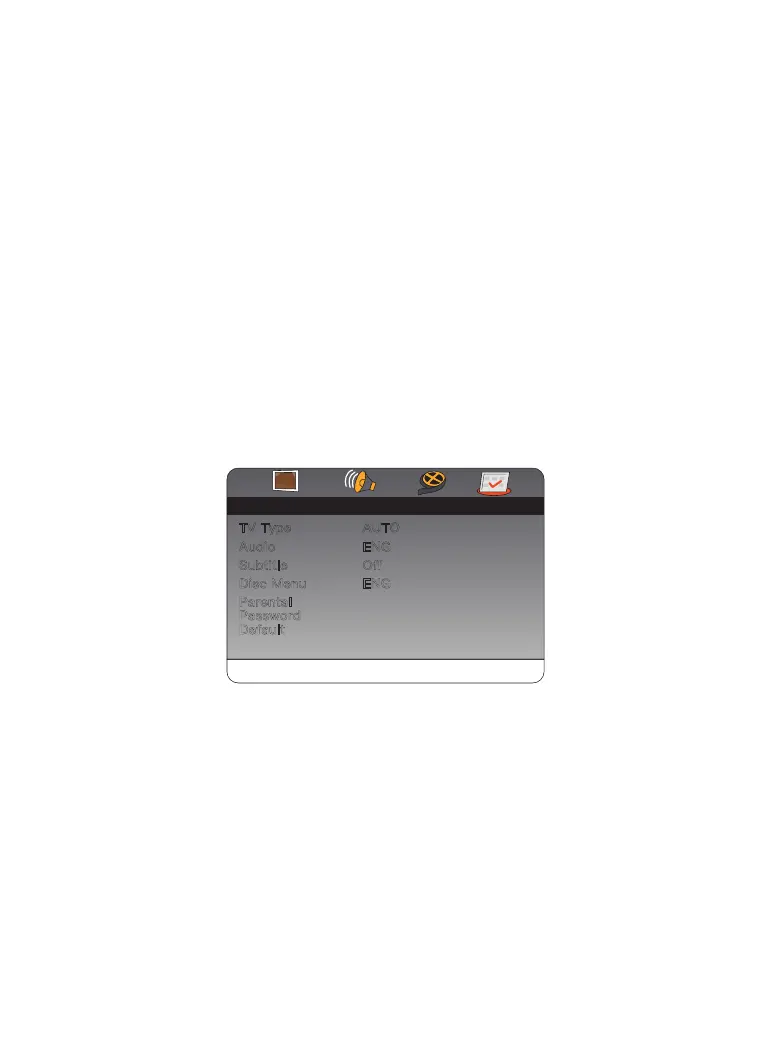
Preference
Audio
Subtitle
Disc Menu
Parental
Password
Default
TV Type AUTO
ENG
Off
ENG
Page
Go To Preference Page
- -- -
Preference Page
The preference menu option allows you to adjust the default DVD disc
setting. (The setting is only available when no media is inside the unit.)
4.
TV Type Set TV Type to PAL, AUTO, or NTSC.
Audio: Set the default audio language.
Subtitle: Set the subtitle language.
Disc Menu: Set the disc menu language.
Parental: Set a maximum rating for discs that can be played without a
password.
Password: Set a parental lock password (The default password is
0000)
Default: Return the portable DVD to factory default beyond the
maximum output of the speaker in sound effects processing.)
●
●
●
●
●
●
●
01 02 03 04 05
06 07 08 09 10 11 12 13
14 15 16 17 18 19 20 21
22 23 24 25
26 27 28


 To Next Page