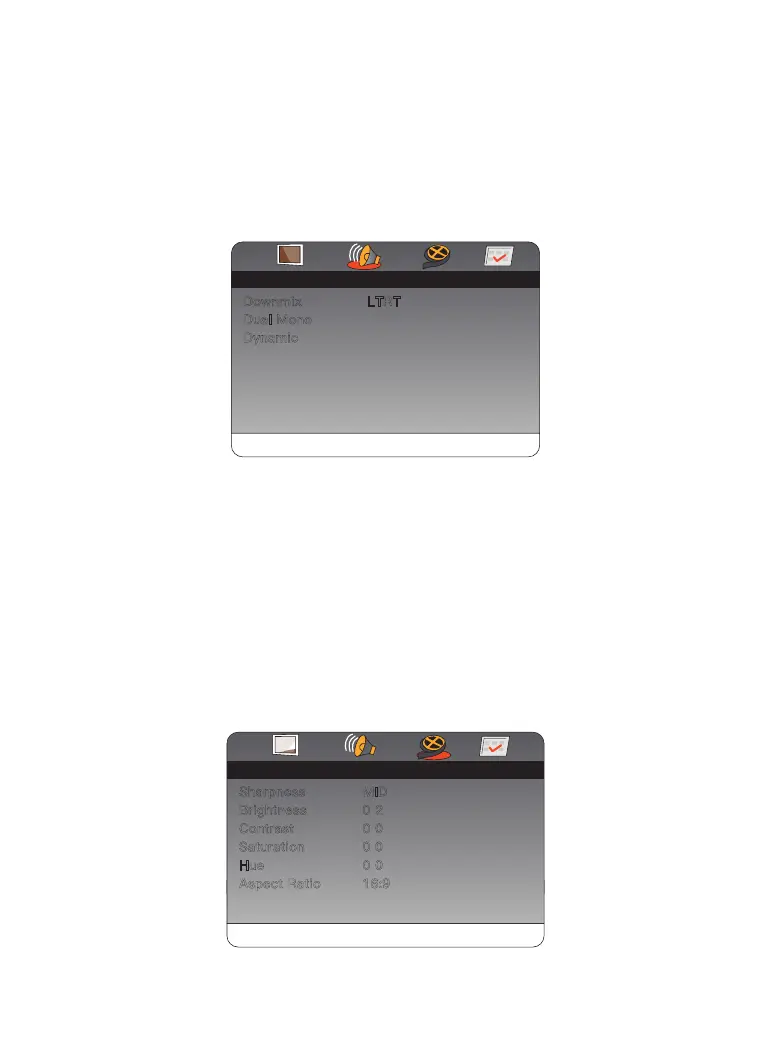
Audio Setup Page
The Audio menu allows you to change the audio setup of the DVD.
● Speaker
Down mix: Set down mix to LT/RT, Stereo.
Dual Mono: Set down Stereo, L-Mono, R-Mono or Mix-Mono.
Panel Quality Setup
The video menu allows you to change the display properties of the DVD.
● Quality
Sharpness: Adjusts the screen sharpness between LOW/MID/HIGH.
Brightness: Adjusts the screen brightness.
Contrast: Adjusts the screen contrast.
Hue: Adjusts the screen hue.
Aspect Ratio: Panel Display: Setup panel display to 16:9 or 4:3.
Audio
Dual Mono
Dynamic
Downmix LTRT
Setup Page
- -- -
Panel Quality
Brightness
Contrast
Saturation
Hue
Aspect Ratio
Sharpness MID
0 2
0 0
0 0
0 0
16:9
Setup Page
Pannel QualtyGoto Video Setup Page
- -- -
2.
3.
Go To Audio Setup Page
01 02 03 04 05
06 07 08 09 10 11 12 13
14 15 16 17 18 19 20 21
22 23 24
25 26 27 28


 To Next Page