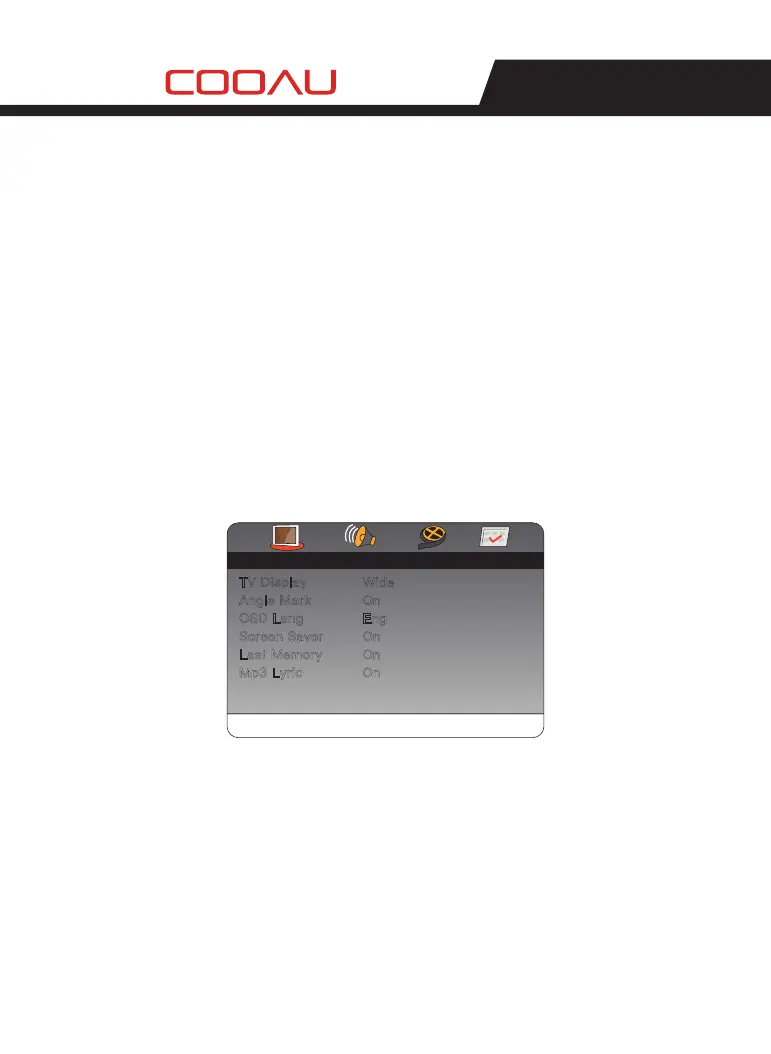
Press [SETUP] on the remote control or on the unit to show the setup
menu.
Press [LEFT] / [RIGHT] to select an item. The submenu of the selected
item will be instantly shown.
Press [UP] / [DOWN] to select an item in the submenu, then press [OK]
/ [ENTER] to enter. Use [UP] / [DOWN] to select an option, then press
[OK] / [ENTER] to confirm it or press [LEFT] to cancel.
Press [UP] / [DOWN] to continue to set other items in the submenu.
Press [LEFT] to go back to the superior menu of the current one.
Press [SETUP] again and press [ENTER] / [OK] to exit the setup menu.
1)
2)
3)
4)
5)
6)
General Setup Page
There are six items in the GENERAL SETUP PAGE. They are TV
DISPLAY, ANGLE MARK, OSD LANGUAGE, SCREEN SAVER, LAST
MEMORY and MP3 LYRIC.
1.1
1.
TV Display
4:3 Norma / PS PANSCAN:
If the unit is connected to a conventional TV set, the wide-screen
image will be displayed on the screen in its native aspect ratio with
some part on the left and right cut off.
4:3 Normal / LB LETTERBOX:
If the unit is connected to a conventional TV set, the wide-screen
image will be displayed in its native aspect ratio with black borders
on the top and the bottom side.
General
Angle Mark
OSD Lang
Screen Saver
Last Memory
Mp3 Lyric
TV Display
Wide
On
On
On
On
Eng
Setup Page
GeneralGo To Setup Page
- -- -
MENU OPERATION
01 02 03 04 05
06 07 08 09 10 11 12 13
14 15 16 17 18 19 20 21
22
23 24 25 26 27 28


 To Next Page