26 Operation
9.0 Operation
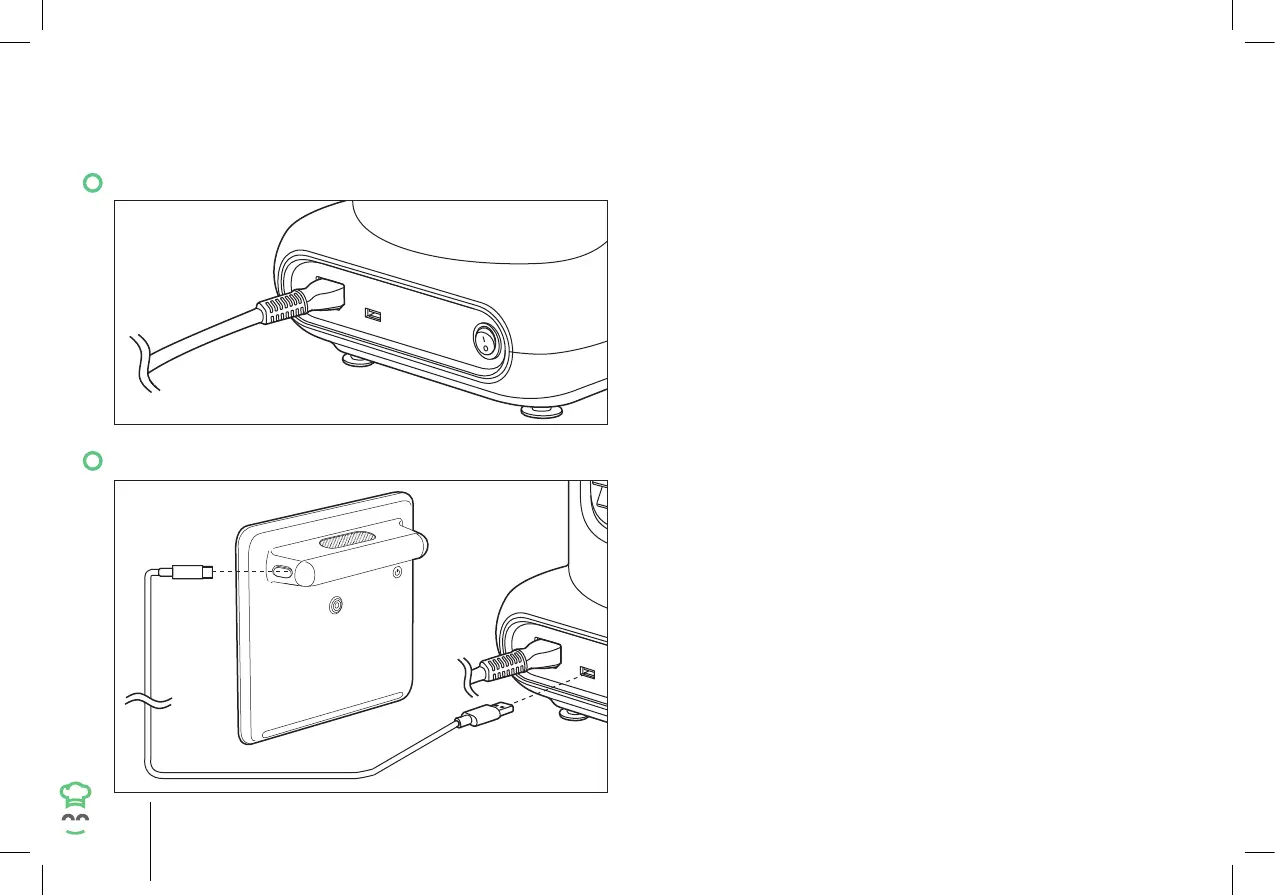
9.1 Switching the Main Unit On/Off
• Connect the power cable to the power socket and
then to a suitable electrical wall outlet, ensuring
each is dry and clean.
• To switch the main unit on, set the power switch
to “I”position.
• To switch off, set the power switch to “O”
position.
• After use, switch off, then unplug the appliance
from the electrical wall outlet.
9.2 Charging the Hub
• Open the port cover of the Hub.
• Connect the USB Type-C cable to the charging
port and then to the USB port at the back of the
Main Unit ensuring each one is dry and clean.
• After charging, unplug the Hub and the charging
cable, then close the charging port ensuring it
is properly sealed to avoid the entry of food or
liquid.


 To Next Page