32 Settings
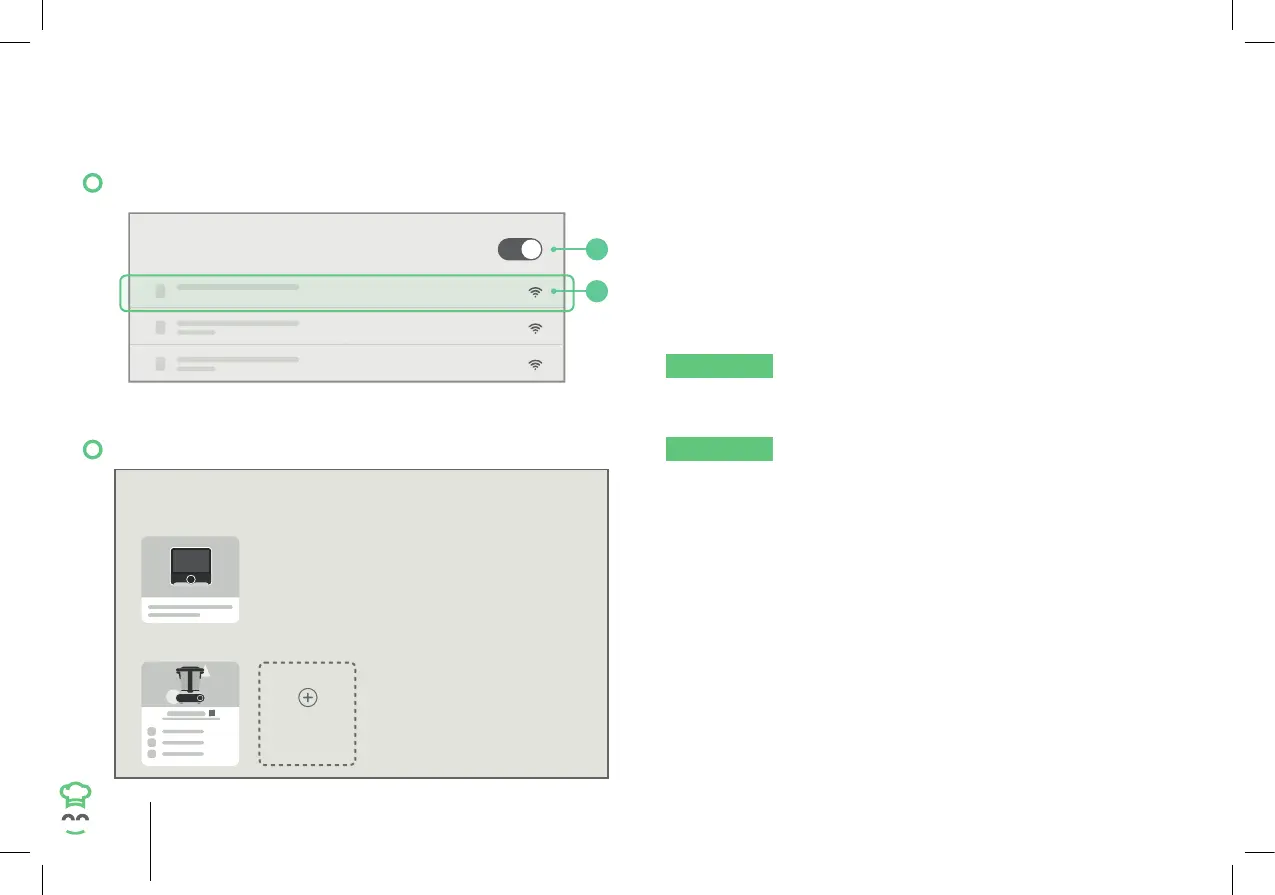
11.5 Connecting to a Wi-Fi Network
Wi-Fi
2
1
Connected
1. Tap “Wi-Fi”.
2. Slide the switch of the top right side corner of the
user interface from OFF to ON.
3. Select the desired network. Input your Wi-Fi
network password, then tap “Join”. The
Wi-Fi network is connected when the word
“Connected” is shown under the network name.
NOTICE
To forget a Wi-Fi network, tap and hold
the name of the Wi-Fi network, then tap “Confi rm”.
11.6 Managing Appliances
MY DEVICES
REFRESH
CONTROLLERS
APPLIANCES
ADD DEVICE
NOTICE
This menu shows the connected
controllers and appliances to your CookingPal®
account. The following actions can be done:
1. Tap “My Devices”.
• Change name of the appliance.
• Add new appliance.
• See appliance information and check for updates.
• Refresh and relink, pair and unlink controllers and
the appliance.
• See the status of the appliance (connected / out
of range / offl ine).


 To Next Page