39Cooking Modes
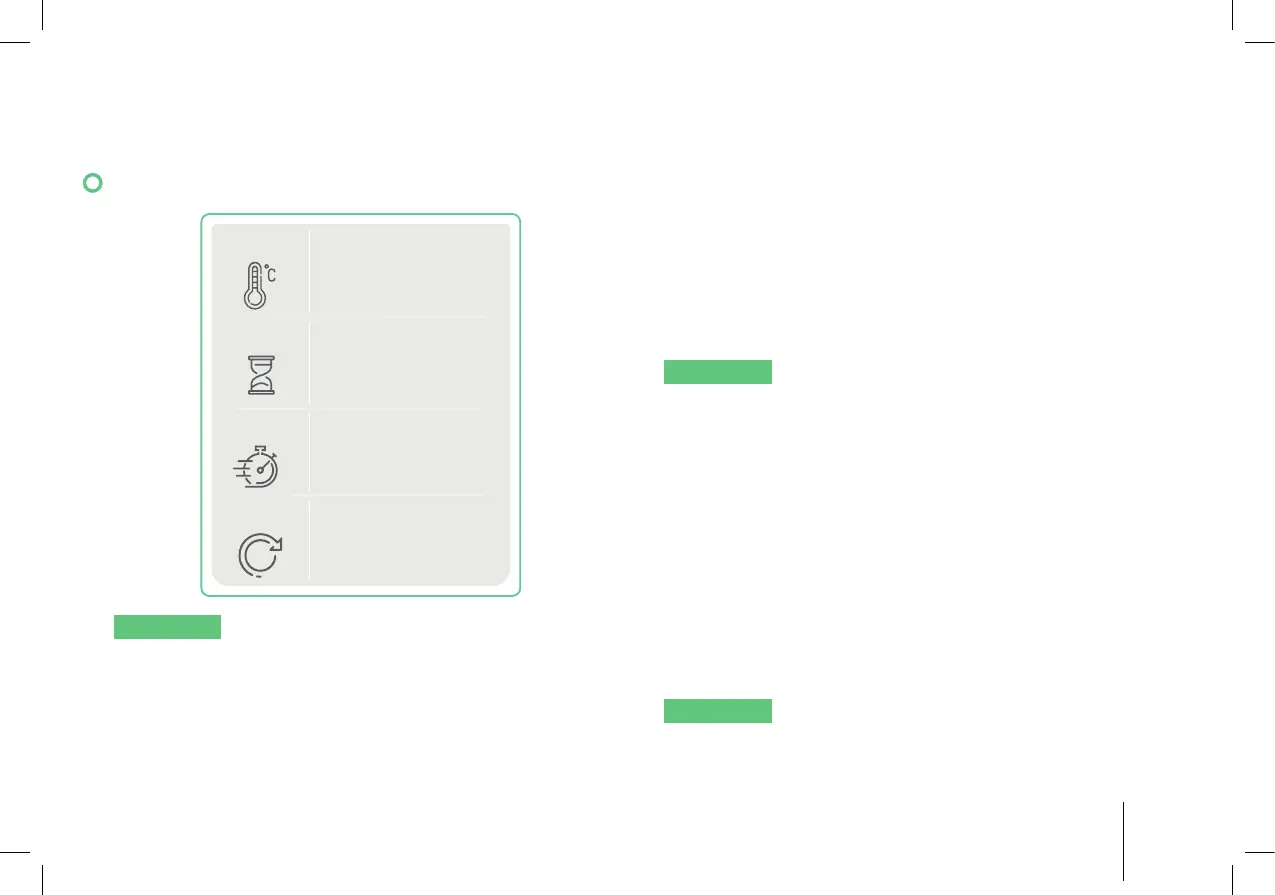
12.6 Manual
TEMP.
TIMER
SPEED
DIRECTION
1
CLOCKWISE
NOTICE
This mode can be used with all
accessories. Butterfl y whisk should not be used for
speeds higher than4.
In this mode, all settings are customizable for
different cooking needs.
1. Place the food in the mixing bowl.
2. On the Hub, tap the temperature setting, set the
temperature (100–265 °F/37–130°C) using the
display or the jog dial. Set to -- – (no heat).
3. Tap the timer, set the timer (1 second–99 minutes
59 seconds) using the display or the jog dial.
4. Tap the speed, set the speed (1–10) using the
display or the jog dial.
NOTICE
Under the following circumstances only
speed settings 1/2/3 can be used for safety reasons:
• The temperature is set to 100–265 °F
(37–130°C).
• The blade is spinning counter-clockwise.
5. Tap the direction, set the blade rotation direction
(clockwise/counter-clockwise) using the display
or the jog dial.
6. Tap “Start” to start the function. Press “Pause” to
stop and “Resume” to continue the function.
7. Cooking mode is fi nished when the countdown is
over.
NOTICE
Turbo function can be used with this
mode when the bowl temperature is lower than
140°F (60°C).


 To Next Page