27
Receiving a call
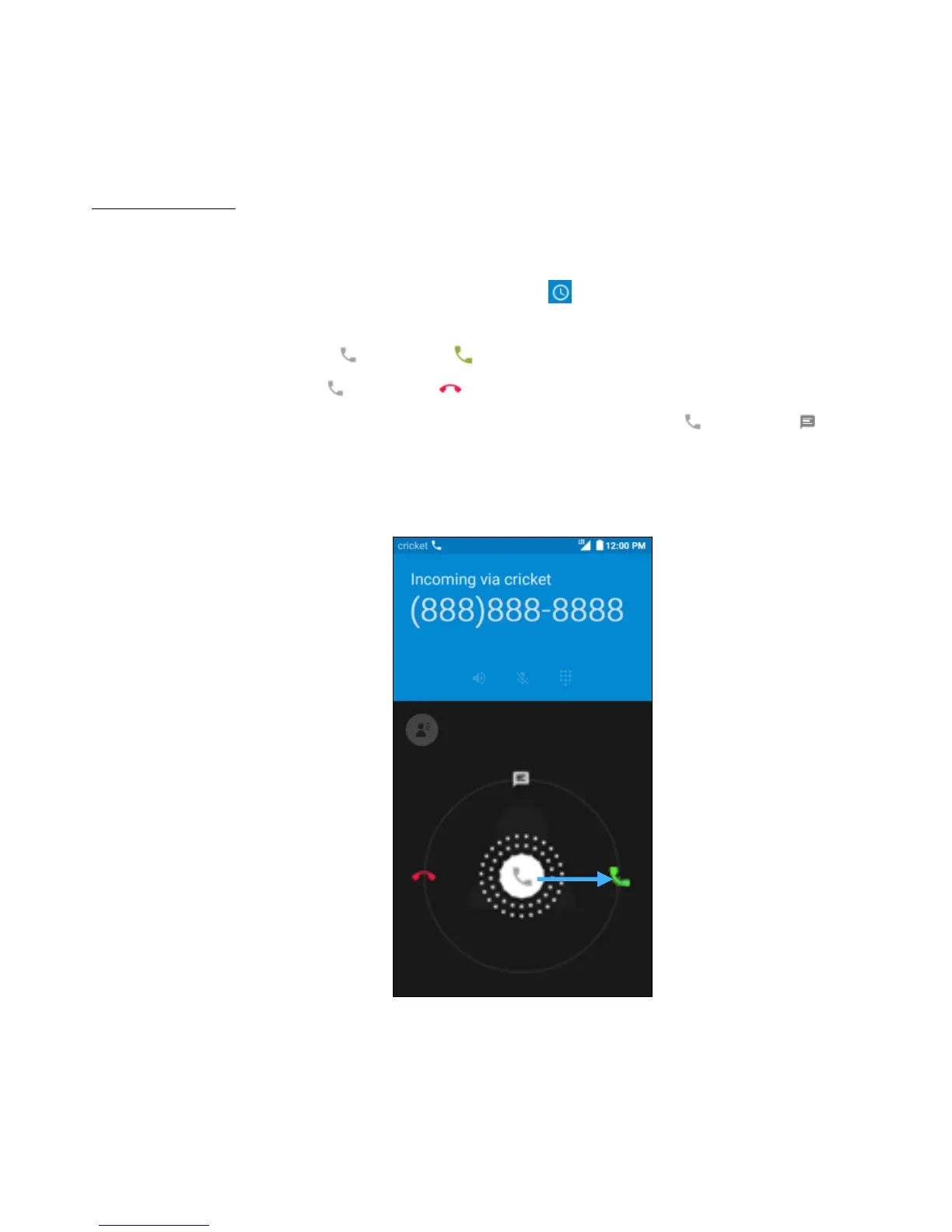
The Incoming Call screen appears when a call comes in, along with the caller ID and other
information you’ve entered in the Contacts.
Note: Any missed calls are logged in the Call History , along with a notification.
There are various options available when a call comes in.
• To answer a call, slide towards on the right.
• To reject a call, slide towards on the left.
• To reject the call and send an SMS message to the caller, slide towards on the
top.
• Press the lower part of Volume key on the left side of your phone to mute the ringer.


 To Next Page
 Loading...





