Note:
There is no this function for the units. If press this button, the main unit will sound, but it also runs under original status.
Note:
Note:
I feel button
Optional function, if the model without this function, no feedback from the aircon when
press this button
Default WIFI open on remote control , WIFI button for air conditioner WIFI link.
Note:
Health button
Note:
Note:
Note:
Note:
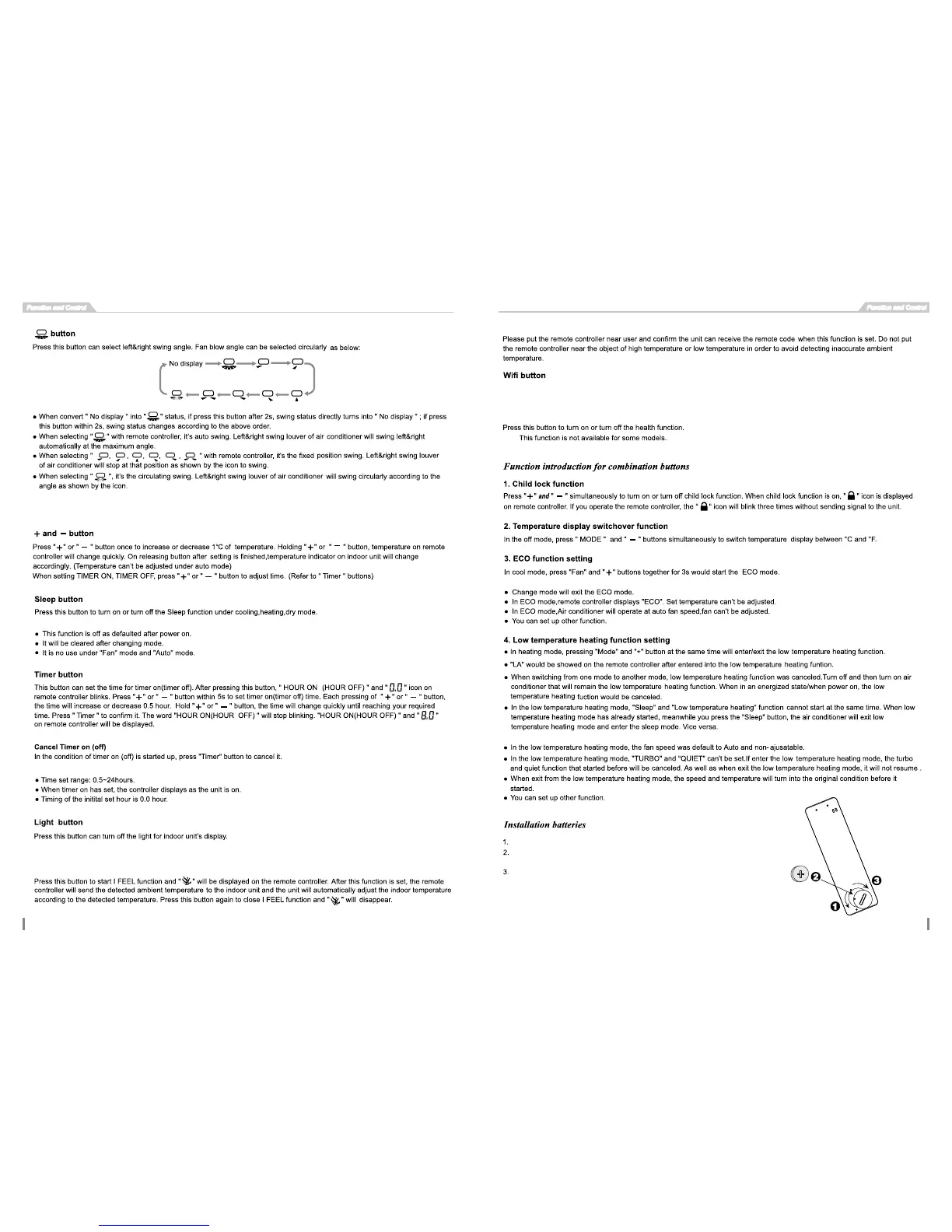
Turn on the back cover of the remote control according to
the counter clockwise direction
Put one unit CR2032 button cell, and make sure the position
of“+”polar and“-”polar are correct.
Re-install the b
ack cover into the remote control according to the back
ockwise direction. And make sure the 2 concave points coincide.





 To Next Page