14
1414
14 M750 and M800 Installation Instructions 497139 Issue 3
Serial Connection to PC
("22" in Figure 2.)
Optionally, a local PC running the Menvier
Downloader software can be connected to the
control panel for system configuration and data
uploading. The PC can connect to the panel's USB
port ("22" in Figure 2).
A USB port cannot be used to connect a printer.
Power Availability
Before connecting any external devices to the control
panel, you must make sure that the control panel
can provide sufficient current to power them.
The amount of current available from the panel
depends on the standard and grade in use, the
battery fitted, and (for Grade 3 only) whether AC Fails
are transmitted to an ARC. See Table 2 or Table 3.
Using Table 4, calculate the total current taken by all
devices used (except the battery), and make sure
that this does not exceed the available current.
If the total current required exceeds the amount
available, add more power supplies.
Fitted Battery Size
Fitted Battery SizeFitted Battery Size
Fitted Battery Size Available Current Grade 1 or 2
Available Current Grade 1 or 2Available Current Grade 1 or 2
Available Current Grade 1 or 2
7Ah 580mA
17Ah 750mA
Table 2: Available Current - Grade 1 or 2, PD6662 or EN50131-1
Available Current Grade 3
Available Current Grade 3Available Current Grade 3
Available Current Grade 3
AC Fail to ARC
AC Fail to ARCAC Fail to ARC
AC Fail to ARC No AC Fail to ARC
No AC Fail to ARCNo AC Fail to ARC
No AC Fail to ARC
Fitted
FittedFitted
Fitted
Battery
BatteryBattery
Battery
Size
SizeSize
Size
PD6662
PD6662PD6662
PD6662
Grade 3
Grade 3Grade 3
Grade 3
EN50131-1
EN50131-1EN50131-1
EN50131-1
Grade 3
Grade 3Grade 3
Grade 3
PD6662
PD6662PD6662
PD6662
Grade 3
Grade 3Grade 3
Grade 3
EN50131-1
EN50131-1EN50131-1
EN50131-1
Grade 3
Grade 3Grade 3
Grade 3
7Ah 580mA 230mA 290mA Not valid
17Ah 750mA 560mA 700mA 280mA
Table 3: Available Current - Grade 3, PD6662 or EN50131-1
Device
DeviceDevice
Device Current
CurrentCurrent
Current
Control panel PCB 200mA
Extension loudspeaker ("13" in Figure 2), if
used
100mA
Bell ("9" in Figure 2) Device
dependent
Devices powered from digital
communicator and transistor outputs ("8"
and "6" in Figure 2)
Device
dependent
Each PIR or other device powered from the
12Vdc output ("16" in Figure 2)
Device
dependent
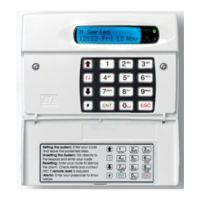
Each NETLCD keypad 145mA
Each NETARM module 55mA
Each LEC2 40mA
Each ID Node 160mA
Each XNode or MNode (non-alarm state
excl. speaker)
50mA
Each ID Biscuit 3.3mA
Each ID Plus Biscuit 1mA
Each output module 5mA
Table 4: Current Consumption Figures
Connecting to the Mains Supply
WARNING:
WARNING:WARNING:
WARNING: ENSURE THAT THE MAIN SUPPLY IS
DISCONNECTED AND ISOLATED BEFORE MAKING ANY
MAINS CONNECTIONS.
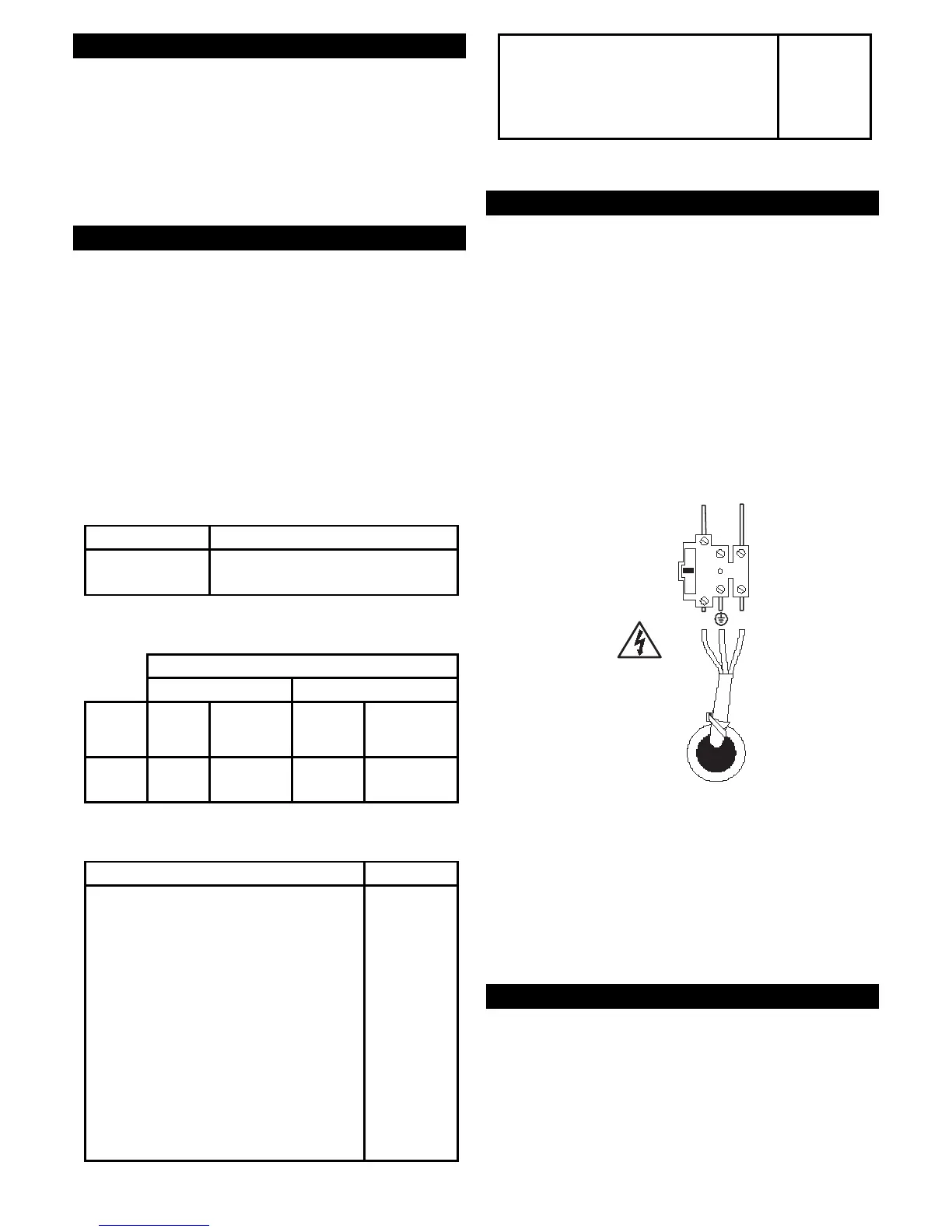
All mains electrical connections must be carried out
by a qualified electrician and must comply with the
current local regulations (e.g. IEE). The supply must be
fed from an un-switched fused spur fitted with a 3A
fuse.
The mains supply is connected to a 3-way "Euro Type"
fused terminal block (see Figure 19). Ensure that the
earth wire is longer than the live and neutral to ensure
that the earth is the last to take any strain.
To Control Panel
Transformer
315mA
N(L)P
230Vac
Figure 19: Mains Connections
Note: To avoid mains interference, the mains cable
Note: To avoid mains interference, the mains cableNote: To avoid mains interference, the mains cable
Note: To avoid mains interference, the mains cable
must enter the control panel through its own cable
must enter the control panel through its own cablemust enter the control panel through its own cable
must enter the control panel through its own cable
entry hole (see
entry hole (see entry hole (see
entry hole (see Figure
Figure Figure
Figure 1
11
1) and must not be mixed
) and must not be mixed) and must not be mixed
) and must not be mixed
with other cables.
with other cables.with other cables.
with other cables.
The mains cable must be anchored down with a
strain-relief tie. There is a eye located to the top-left of
the mains cable entry hole for this purpose.
LEDs
The LEDs (see Figure 2) have the following meanings:
• LED1 (heartbeat) – Flashes once per second to
indicate that the panel is operating. The LED
flashes rapidly after a reset.
• LED2 (network 1 fuse) – Monitors the polyfuse for
network 1. When illuminated, the LED indicates
that the 12V supply to network 1 is open circuit.



 To Next Page