Ⅰ
、Before use
Before use, please go to Switch Host "System Settings" - "Controllers and Sensors" - "Pro
Controller Wired Communication" is set to "On".
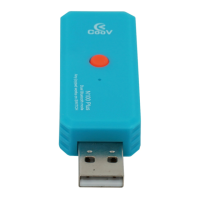
Note: Wireless A mode (The indicator light is blue) and wireless B mode (The
indicator light is green) can be switched by long pressing the pairing button for 5
seconds.
After the N100 Plus is successfully connected, there is no need to enter the
“Joypad”-“change grip/sequence” interface, otherwise the handle will be
automatically disconnected. Press the N100 Plus pairing button and the handle will
resume operation.
Ⅱ
、无线 A 模式
N100 Plus Bluetooth Wireless Connection Switch.The indicator light is blue.


 To Next Page