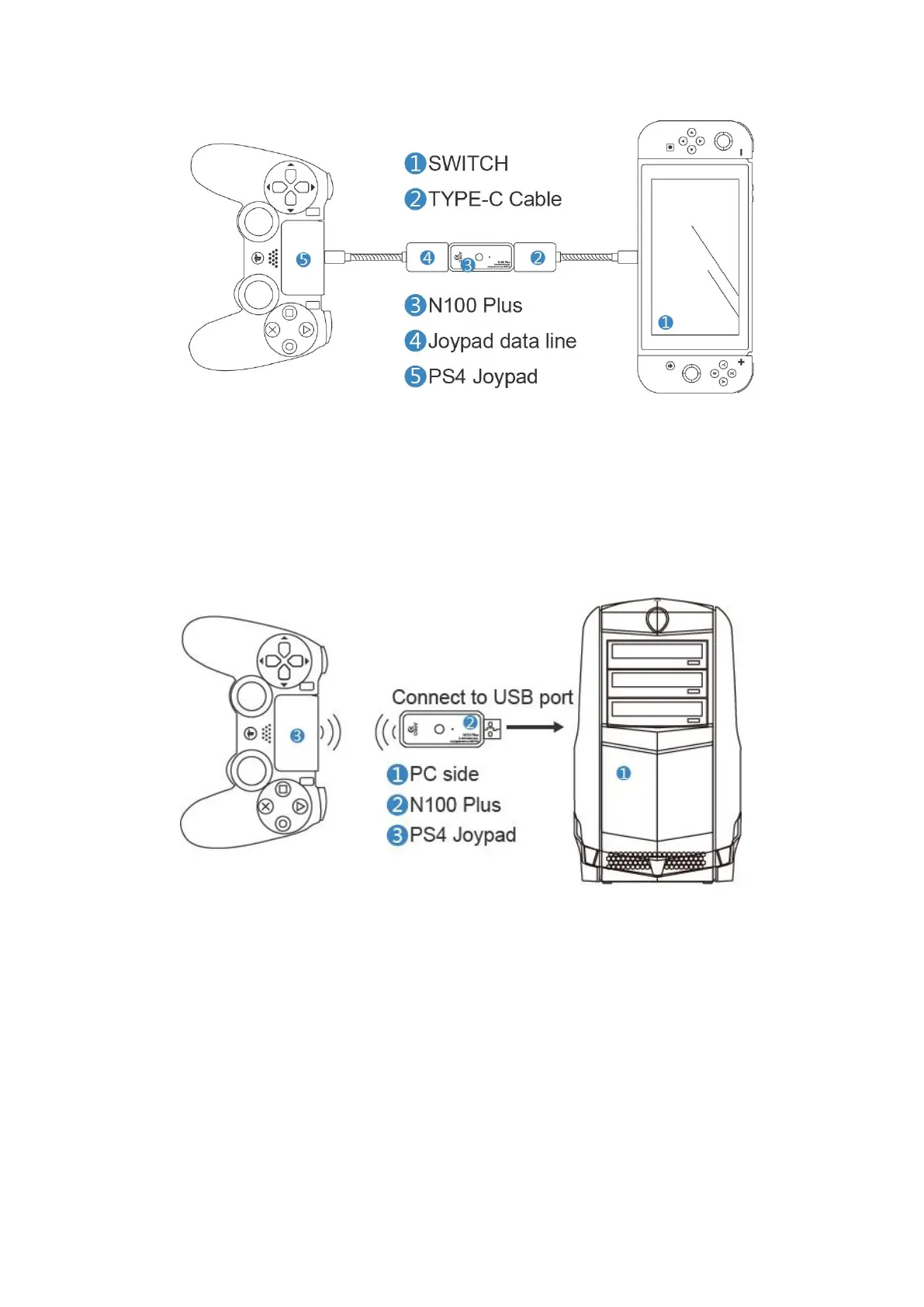
Note: When connecting the device, connect the Switch to the last step.
Ⅴ、PC end Joypad use
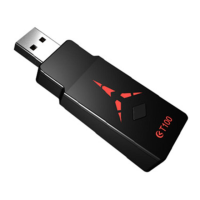
The N100 Plus has a Bluetooth wireless connection Joypad on the PC side and the
indicator light is green. (Only used in wireless B mode)
Connection, usage, handle Bluetooth pairing and wireless B mode
Ⅵ
、COOV assistant PC side
This software could provide the fast and convenient
setting for COOV USB Device, including changing keys, upgrading, recovering, sharing
functions. The users could enter into the official website www.mycoov.come - the COOV
Assistant download page to utilize this software. You could use it by the related statement.


 To Next Page