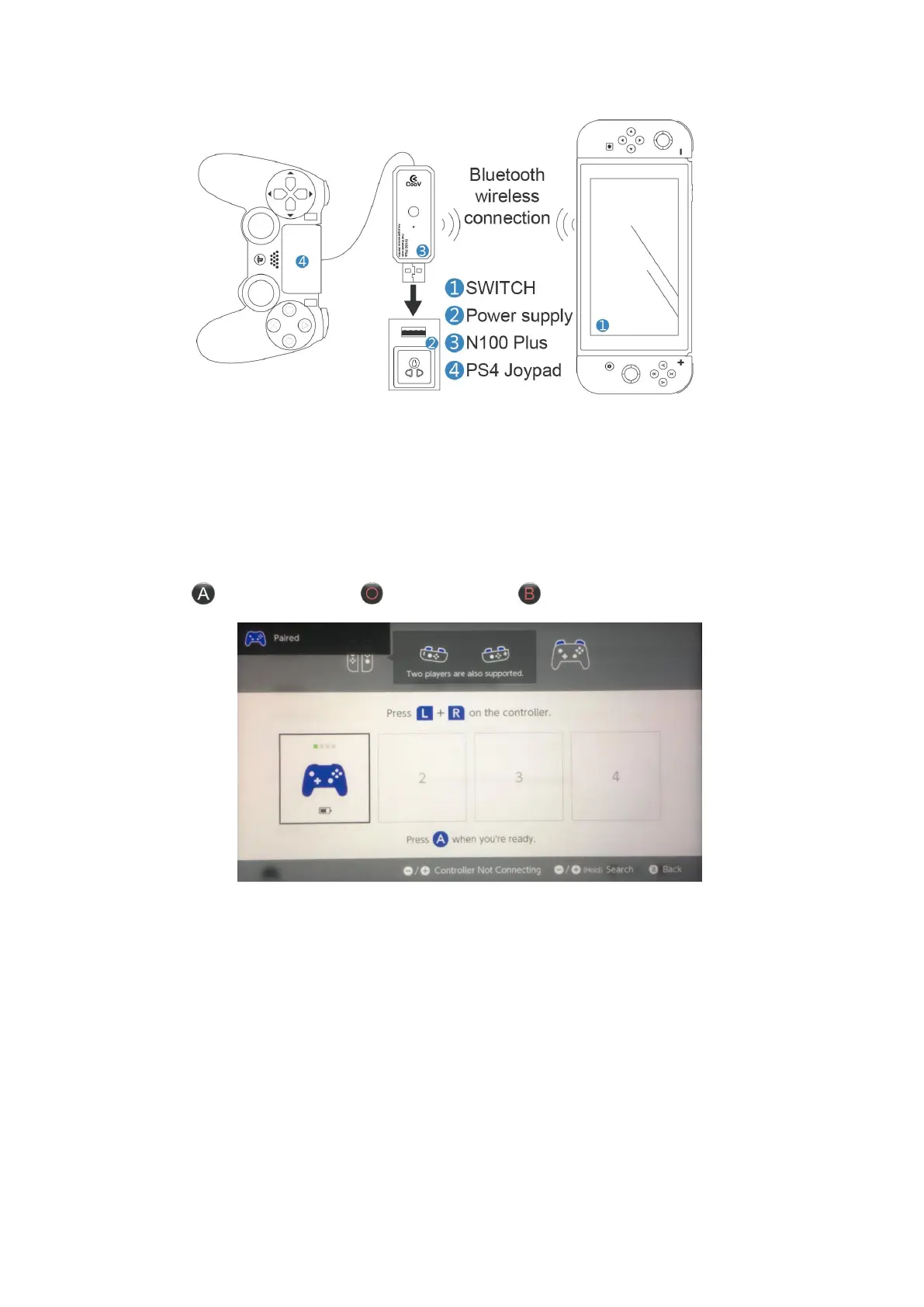
1. Go to the Switch and set the "Controllers and Sensors" - "Change Grips / Order"
interface.
2. Connect the Joypad to the N100 Plus.
3. Connect the N100 Plus to a power source or a charging treasure (powering the N100
Plus).
4. The N100 Plus indicator 1 flashes blue.
5. After the connection prompt appears on the interface, press the ENTER button(NS Pro
Joypad button / PS4 Joypad button / X1 Joypad button)to confirm the normal use.
Note: If the Switch enter sleep mode, please perform the following process.
1. Press the power button on the Switch to make the screen light up.
2. Press the Bluetooth pairing button on the N100 Plus , and waiting auto
connection
Ⅲ
、Wireless B Mode(Default Mode)
N100 Plus Bluetooth wireless Connection Bluetooth Joypad.The indicator light is green.


 To Next Page