EM 9250 Operator’s manual 97
UK
- press the key to confirm the previ-
ous value and set the machine for diameter
entry (-d-)
- read the rated rim diameter value on the
tyre
- modify the displayed diameter value by
pressing the keys until
the read number is set
- press the key to confirm the previ-
ous value and set the machine for distance data entry (-A-)
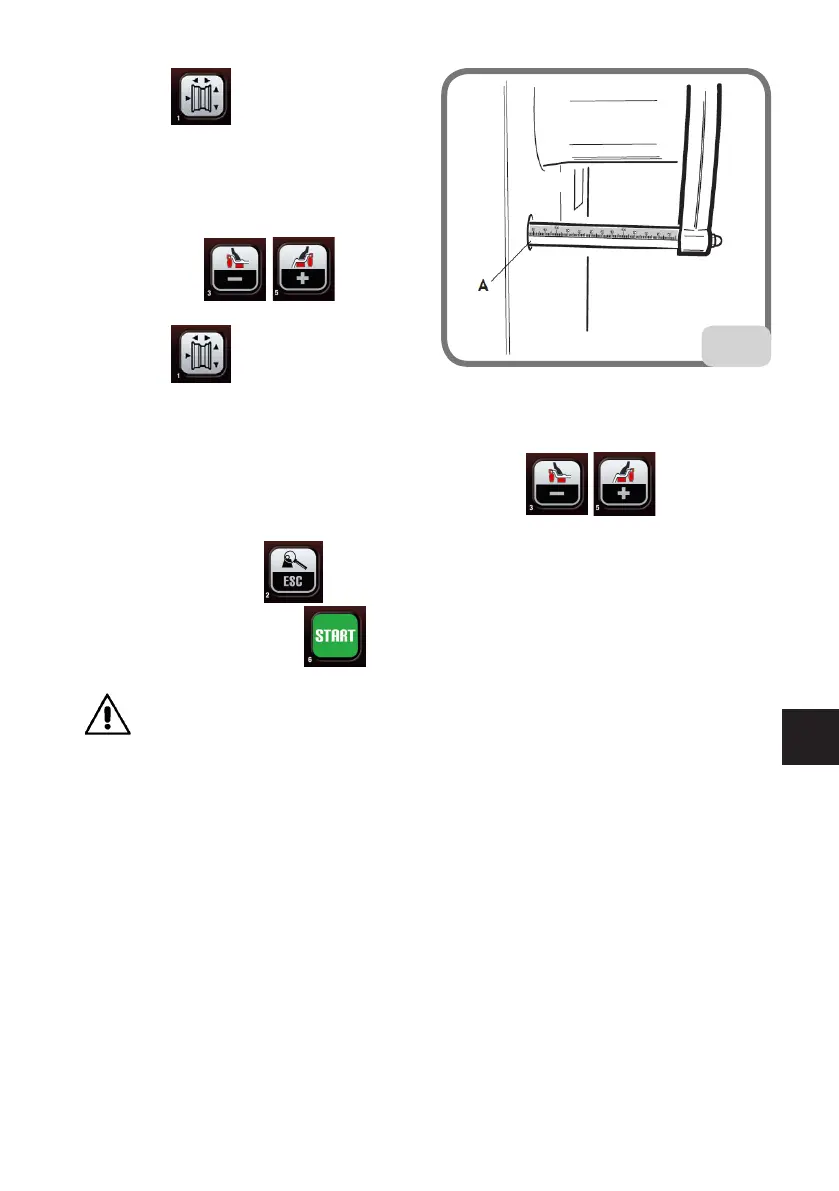
- bring the distance measuring arm into contact with the inner side of the rim (Fig.11)
- read the distance value between the wheel and the body on the rule (A, Fig.13)
- modify the displayed distance value by pressing the keys until the
read number is set
- on completion, press to display the unbalance values recalculated on the basis
of the new dimensions, or to perform a wheel spin.
WARNING
If the diameter and distance values between the two balancing planes, recalculated
on a statistical basis starting from the rated geometric data of the wheel, exceed the
normally accepted interval stated in the technical data section, the message "A 5" is
displayed.
13


 To Next Page