EM 9250 Operator’s manual 101
UK
5. ENTERING DIMENSIONS
IN THE MOTORCYCLE
PROGRAMMES
The operations described below are valid if the
motorcycle setting (byke) has been activated in the
"vehicle type" set up.
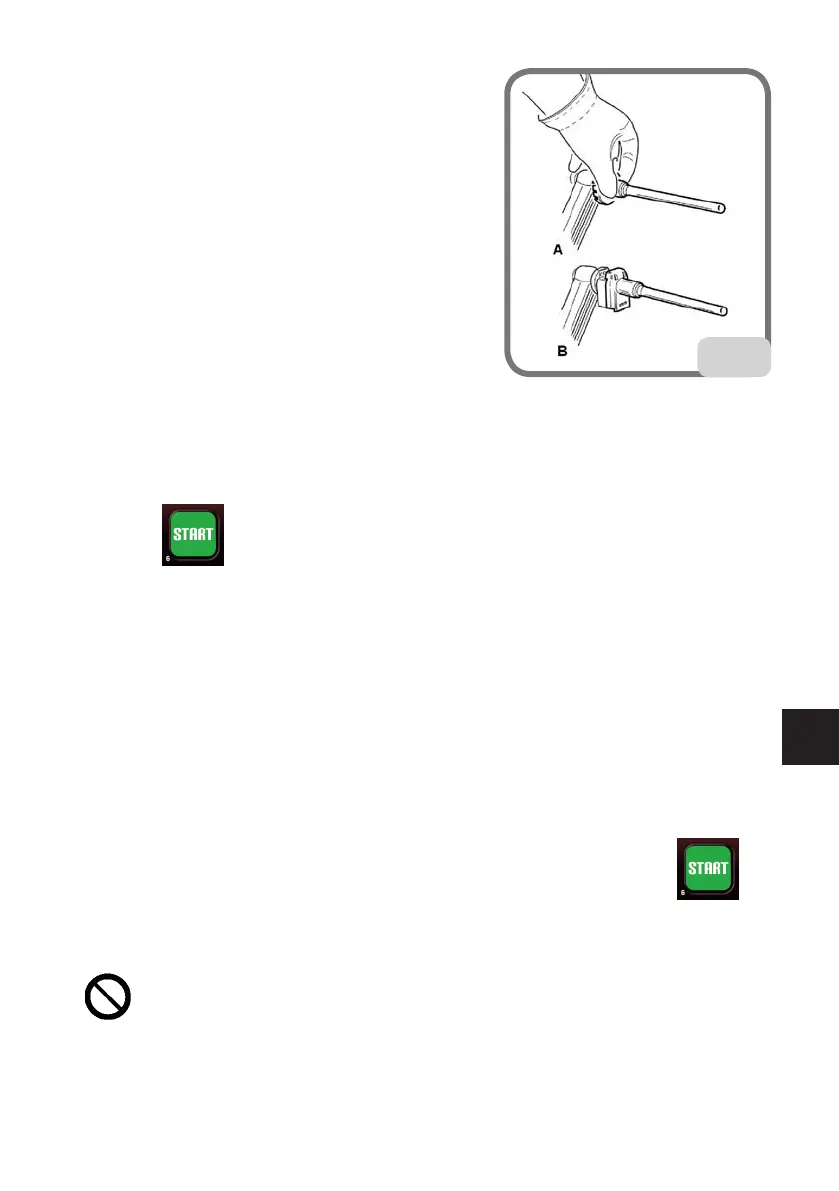
- Fit the appropriate extension on the inner measur-
ing arm, specifically extension A on machines with
no weight holder or extension B on machines with
weight holder (Fig.16).
- To acquire the wheel dimensions, follow the instruc-
tions in the paragraph “Entering wheel dimensions”.
6. WHEEL SPIN
WITHOUT GUARD
Press the key on the display together with the button on the left side and hold
them down until the braking phase starts. If one of the two contacts, or both, is released
during the wheel start-up or reading phase, the message “A Cr” will appear and the brake
will be automatically activated.
CAUTION
Do not operate the machine if the safety device has been tampered with.
CAUTION
During machine use, personnel may not be present in the area enclosed by the sec-
tioning in Fig. 5a.
WITH GUARD
Wheel spins take place automatically by lowering the guard or pressing the key
with the guard lowered.
A special safety device stops rotation if the guard is raised during the spin; in this case,
the “A Cr” message is displayed.
CAUTION
Do not operate the machine without the guard and/or if the safety device has been
tampered with.
16



 To Next Page