12
Adapter Configuration
Corinex AV200 Powerline Ethernet Wall Mount F
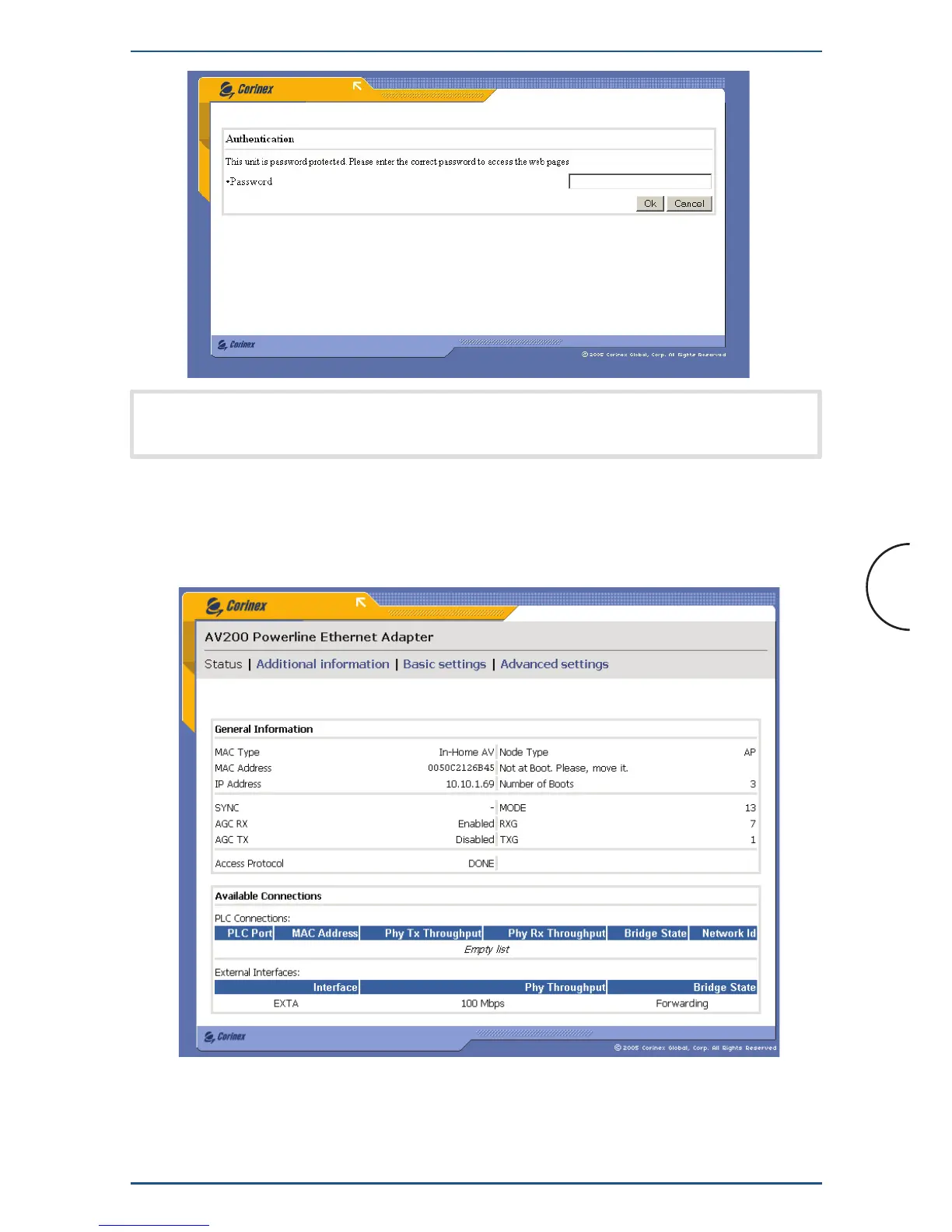
Note: If password protection is disabled, you will be taken straight to the
Main page, rather than the Authentication page.
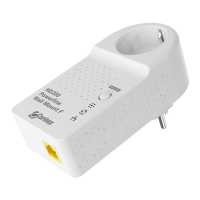
3.2 Main Page
This is the first page after login. It shows basic status information about the adapter,
a list of available Powerline connections, MAC and IP addresses, MAC type, etc.
At the top of the screen are the main categories, “Status,”
“Additional Information,” “Basic Settings” and “Advanced Settings”. The
menu shows the current category and page. (The current category is shown in black
text and does nothing when clicked.)


 To Next Page