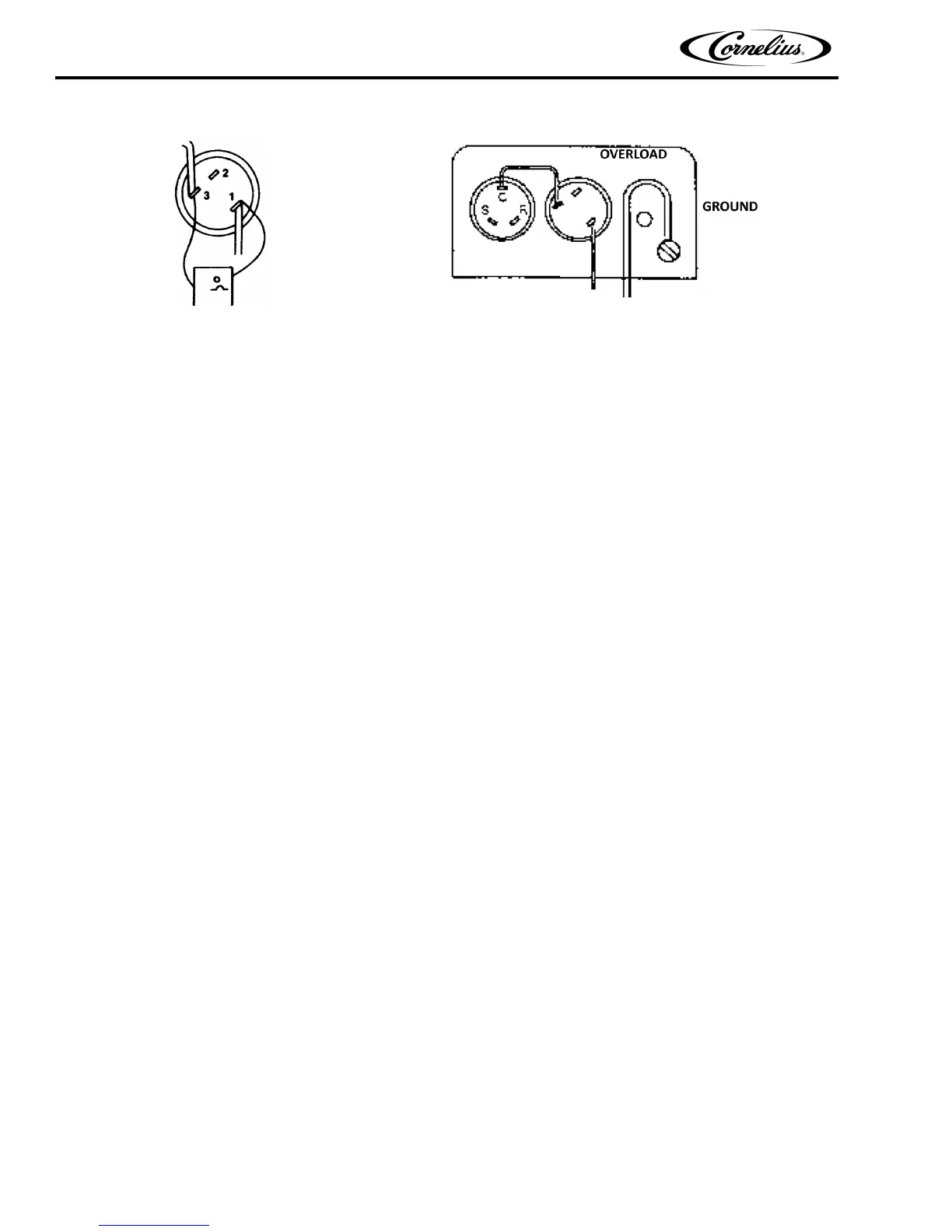
Figure 10. Overload Check Figure 11. Compressor Check
Countertop Icemaker IMD Series Installation Manual
Publication Number: 638085277INS - 16 - © 2004-2012, IMI Cornelius Inc.
OVERLOAD CHECK -
Using a volt-ohm meter check the continuity across the overload, contacts #1 & #3. If none, wait for unit to cool
down and try again. If still no continuity, the overload protector is defective and should be replaced.
COMPRESSOR CHECK -
The resistance readings on the windings will be between 0.25 and 10.00 ohms, a meter capable of these low read-
ings must be used.
1. Check between “C” & “R”. Replace compressor if there is no continuity as the run windings are open.
2. Check between “C” & “S”. Replace the compressor if ther
e is no continuity as the start windings are open.
3. Check between “C” & “R”, or “S” and shell of the compressor. If there is continuity replace the compressor as
th
e motor is grounded.
4. Check between screw terminal on the overload and “C” on the compressor. Check and repair the lead or con-
nections if there is no continuity.
CAPACITOR CHECK
1. Check or replace start capacitor, disconnect bleed resistor before checking for shorted capacitor.
2. Check or replace run capacitor (if supplied) check or shor
ted capacitor or either terminal grounded to case.
TROUBLESHOOTING GEAR MOTORS
Basically, Gear motor problems can be narrowed down to three areas of checkout.
The Gearmotor will not run
1. No voltage to the transmission terminals - check external circuit.
2. Low voltage - check supply.
3. Problems in the gear motor electrical circuit. See Figure 12.
The Gearmotor Starts but Trips Repeatedly on the Overload Protector
1. Voltage - high or low voltage can cause the overload to trip.
2. High Gear motor amperage draw, see Specification Chart for ratings and Troubleshooting Guide.
(See Figure 10)
(See Figure 11)



 To Next Page