3-39
Controls and Indicators
Ballast Settings
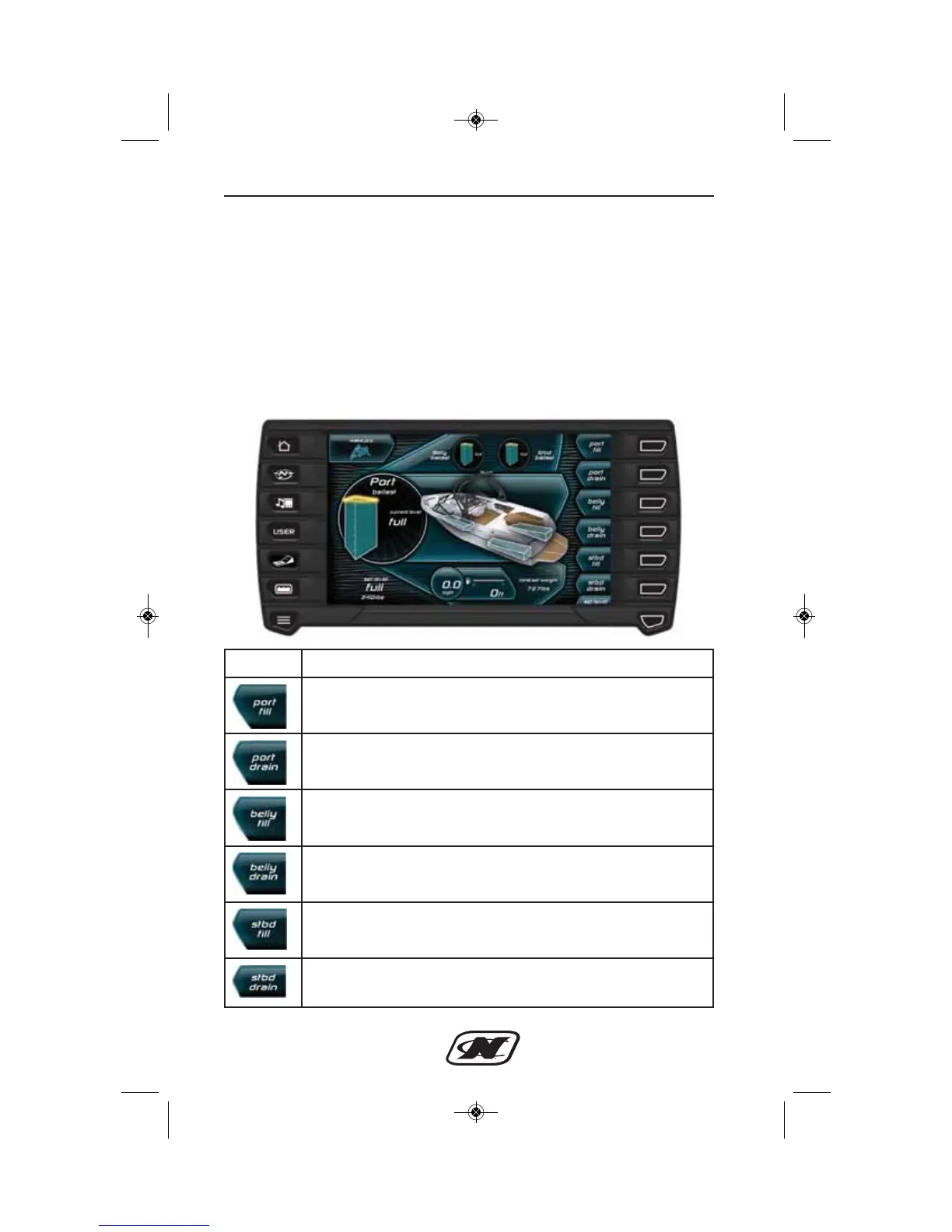
The ballast feature allows a user to set up ballast settings for a
particular skier or profile. When the skier profile is selected, the
ballasts settings will be shown and the ballasts on the boat will be
filled/emptied as indicated on the screen. The illustration below
shows what is displayed on the screen when the Wake Pro skier
profile is selected. On the right are soft keys that aid in setting up
the ballast settings. The soft keys and descriptions are shown
following the illustration.
Soft Key Description
PORT FILL – turns on the pump to fill the port ballast tank.
PORT DRAIN – turns on the pump to drain the port ballast
tank.
BELLY FILL – turns on the pump to fill the belly ballast
tank.
BELLY DRAIN – turns on the pump to drain the belly ballast
tank.
STBD FILL – turns on the pump to fill the starboard ballast
tank.
STBD DRAIN – turns on the pump to drain the starboard
ballast tank.








 To Next Page