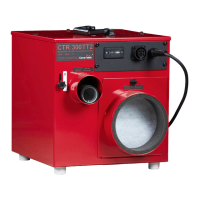
To Use CTR A ES, menus and operation
The CTR A ES has an easily understood user interface with a display and five push buttons. The two
larger buttons on the respective sides of the display are used to select between the different menus
– no changes to the setup can ever be made with these buttons as they are for navigation only.
The three smaller buttons below the display are used for selection and editing and their respective
functions are always presented in text and the bottom of the screen. At the top level menus, the left
of these buttons is named Home and a push on this button will immediately lead back to the default
view. In many of the views there is an Info button which presents information that may be of use to
the inexperienced user.
If the backlight of the display has timed out, the first button push serves only to light up the display.
After 10 minutes, if no button is pushed, a key pad lock is activated. The machine is then unlocked by
simulataneous push of the two upper buttons, something that is presented in text as well as picture
on the display.
Top left and right buttons – Menu navigation only. Never changes
any settings.
Home button Return to the default view
Info button Presents information. On-board
manual



 To Next Page