• Reattach the wet air hose. On the
A2ES, put the gable back in place
while sliding the hose onto the spigot
of the heater cover on the rotor
assembly.
• Put the lid back on the dehumidifier,
re-connect the three cable
assemblies. Mount and tighten the
four screws.
6. Inspect and verify the good function of the
dehumidifier as follows:
Connect power to the dehumidifier and put it
in manual mode. Verify that it starts, that the
fan starts running.
Verify, by looking into the wet air outlet that
the rotor is rotating. Put one hand in front of
the wet air outlet and verify that the air feels
warm, thus that the heater is functioning.
Accessories and consumables
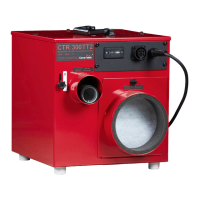
The following articles are available as accessories and consumables to the CTR A ES machines:
Humidistat, HR1-5 (Adapter cable, hygrostat req)
Adapter cable, hygrostat.
External RHT sensor ES series



 To Next Page