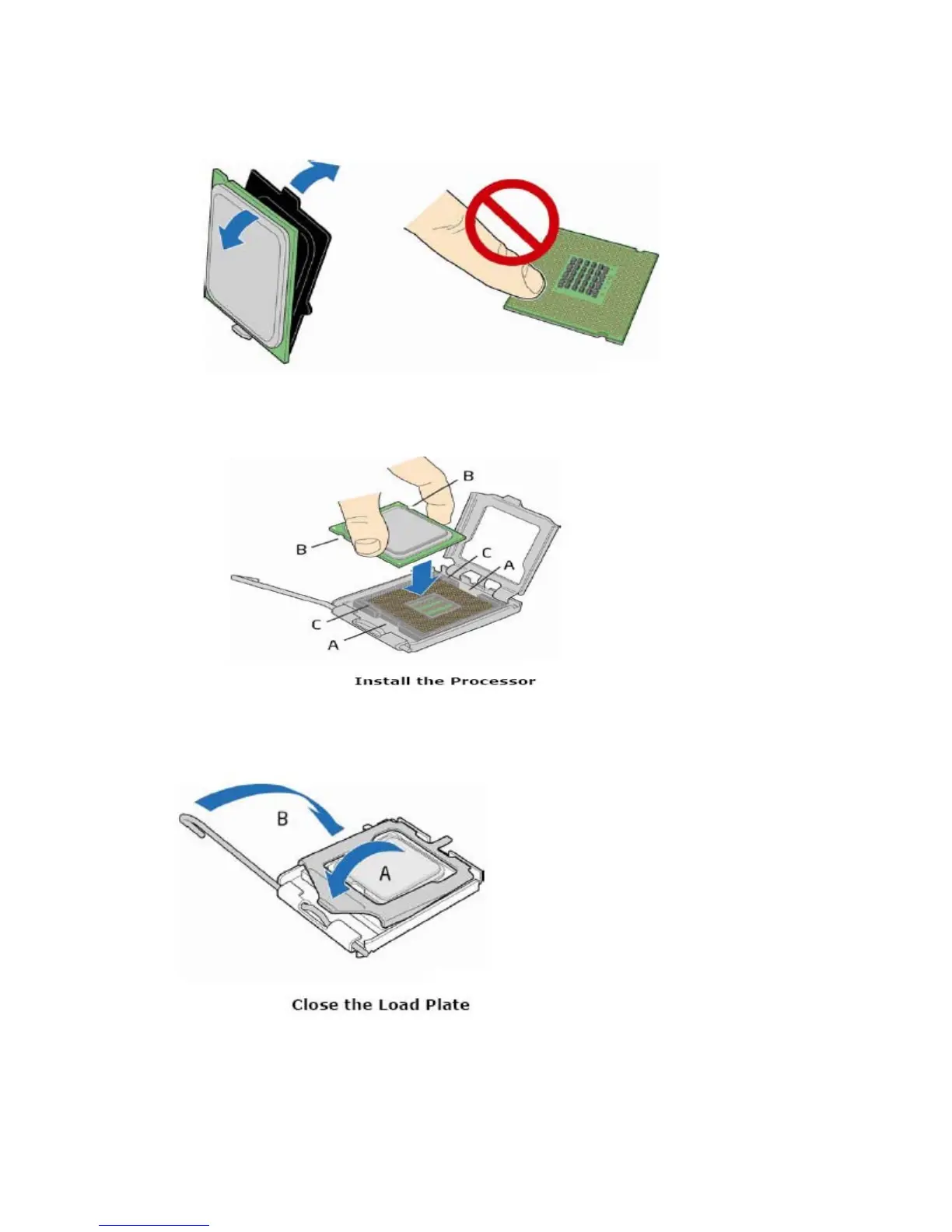
3. Remove the protective processor cover. Be careful not to touch the bottom contacts of the processor.
4. Hold the processor as shown in the picture. Align the processor with the socket (A). Align the
processor notches (B) with the socket (C). Insert the processor into the socket without tilting.
5. Press down on the load plate (A) close and return the socket lever (B) to its original position
6. The plastic socket cover should pop off at this point. Make sure to store it for future use.
19



 To Next Page